Physics
Two waves, one pattern
{{waveFreqLabel}}
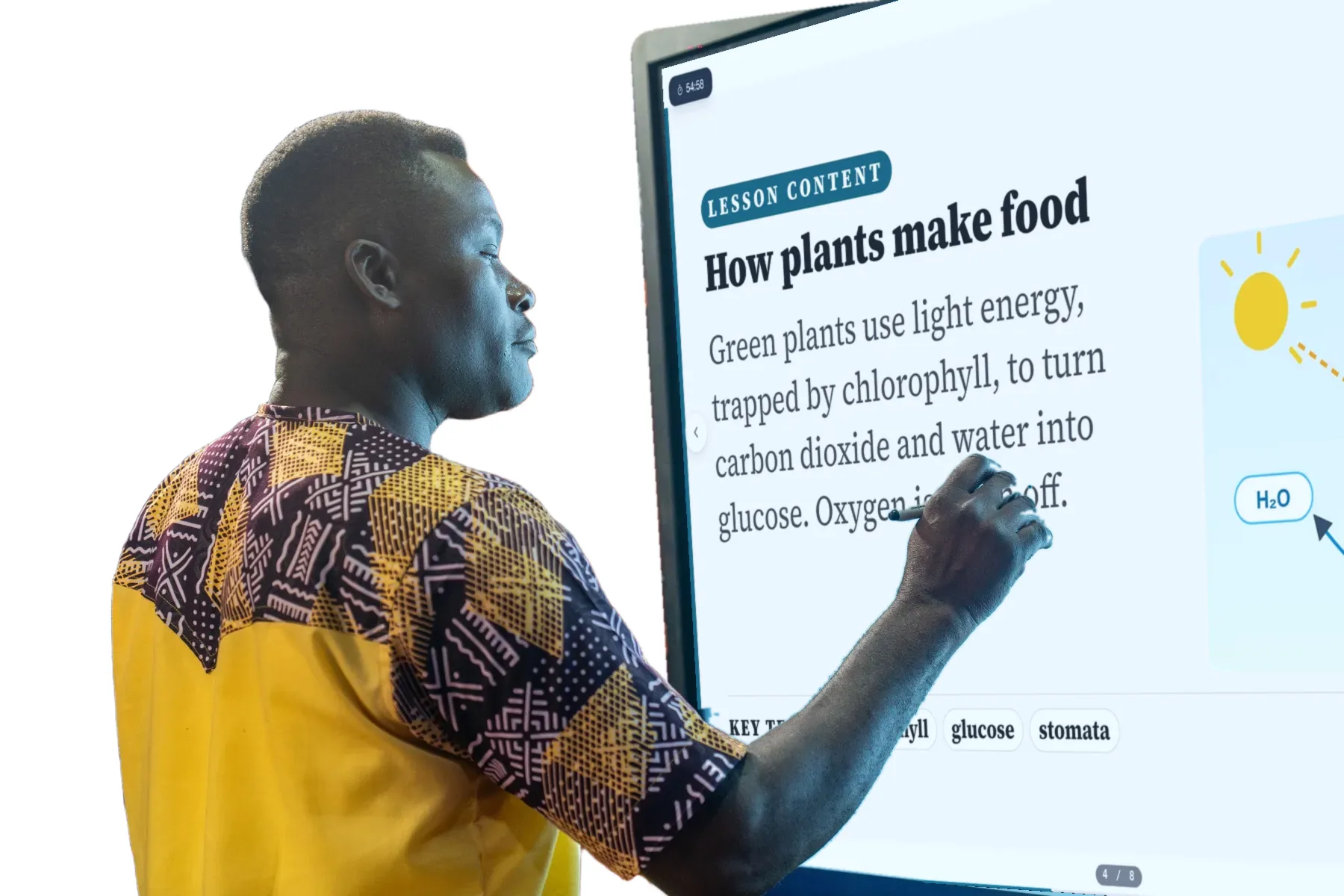
Plan, teach, reflect and adapt, without the late nights. Every lesson ready, sequenced and built on how your students actually learn.
Your first lesson ready in minutes · Curriculum-aligned · No prompting required · Every lesson built on the last
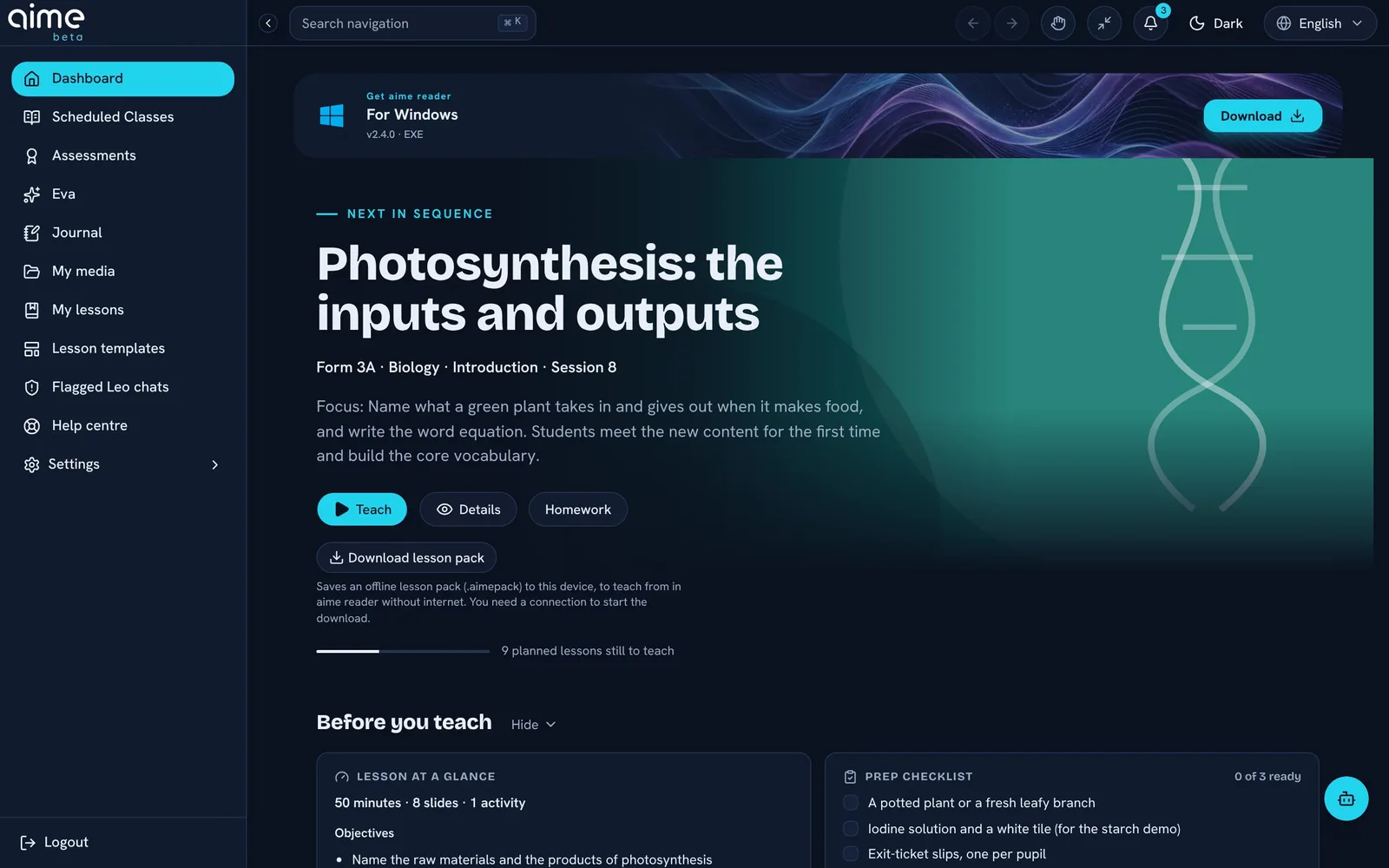
aime understands your curriculum, breaks learning into micro-objectives, applies pedagogical rules, generates differentiated lessons, and helps you improve every class.

The reality of teaching
Planning, admin, disconnected systems, and constant pressure to do more with less time. aime was built to reduce the noise, not add to it.
"There's just not enough time in the day."
Secondary teacher"I spend more time managing systems than planning lessons."
International school teacher"I love teaching. I just needed help carrying the workload."
Science teacherWhy general AI isn't enough
The best AI tools can write a good lesson in one sitting. But teaching isn't one sitting. It's a whole term of lessons that have to follow one another, for one class, in one curriculum, and a general tool starts every conversation knowing none of it.
Remembers a conversation. Come back next week, or next term, and you explain it all again.
Plans the term from your timetable, one dated lesson for every session, holidays removed. Each lesson is rewritten from the one before.
Doesn't know which parts you taught, which you ran out of time for, and which fell flat.
Notes what you covered and what you didn't. Anything left unticked returns as a recap in the next lesson, with the reason shown and a one-click undo.
General by design. Good content, but not tied to the objectives your ministry sets.
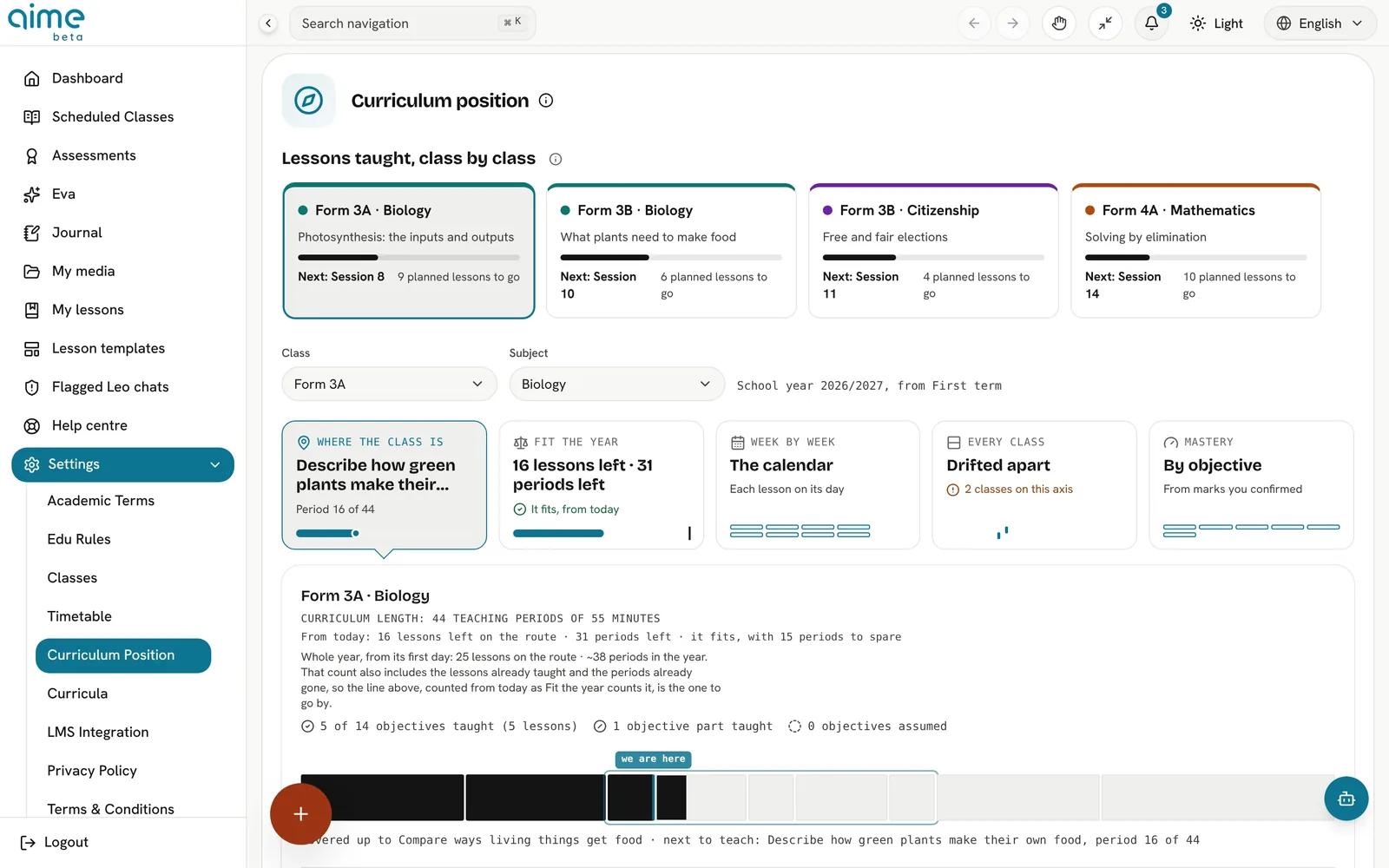
Built on maps of your national curriculum, down to 15-minute steps, with each class's position tracked objective by objective.
Doesn't know your pupils' reading levels, your home languages, or the room and time you really have.
You set reading level, reading age, home languages, local context and classroom resources once. Every lesson is written for that class, in the time your timetable gives it.
Has no idea how you like to run a lesson, or what you'd never use.
Your lesson structure, slide order and edits come first. aime proposes and shows its reasons; you decide.
A handful of good lessons, each one standing alone.
Tracks coverage and mastery for each class, and re-plans when the term runs short. You choose what to keep, compress or skip.
Built for a real classroom
A minute of Voice mirror after each lesson shapes the next one. Free includes it.
Download lessons and teach them from aime reader with no internet, on every plan.
A French curriculum gets a French lesson, with local spelling, currency and seasons checked.
Class progress is tracked objective by objective without naming any pupil.
Use whatever AI you like for a one-off idea. Use aime for the part that has to hold together all year.
The shift
Most AI tools ship a slide here, a worksheet there. Teaching isn't a pile of files. It's a loop, and aime runs the loop with you.
aime doesn't wait for prompts. It works from your timetable and curriculum, quietly, ahead of time.
No prompt engineering, no copy-pasting between tools. You open your day, and it's already there.
Nothing new to learn or manage. aime fits into the day you already teach.
What aime actually does
From planning to pacing, assessment, reflection and classroom flow, aime works in the background so you can stay focused on teaching.
{{f.body}}
See aime thinking
Not a chatbot. Not a lesson generator. aime quietly orchestrates tomorrow's classroom (pacing, activities, assessment, reinforcement) before you arrive.
A week with aime
aime is with you across the whole week: when you plan, when you teach, when pupils take it home, and when you look back.
Every class on one line
A board for anything
Make it yours: a pupil's own settings
A force is a push or a pull. When the forces on an object are balanced, it keeps doing what it was already doing.
After the lesson: an example
One day, two versions
Without aime
With aime
Time-back calculator
Rough estimates to help you picture it. Your week will vary.
Estimated time back
{{timeBack}}
hours a week
≈ {{workingDays}} working days across a school year
Powered by our Curriculum Foundry Engine
High-fidelity, high-efficacy lessons, in tune with local norms, coherence, accuracy, culture and language. Your syllabi, your context, your ministry's own words.
Every objective in a lesson traces back to the page of the official document it came from. Each map is checked both ways: every objective is grounded in the source, and nothing the curriculum asks for is missed.
Certified curricula
Kindergarten to Grade 10
540 of 540 learning competencies
KG1 to Senior High Year 3
6,876 learning indicators, every one
Key Stages 1 to 4
1,340 statutory requirements, every one
General secondary in English and in French, plus technical and vocational programmes
103 ministry programmes mapped
Certified by aime's Curriculum Foundry against each ministry's published curriculum, September 2026. Cameroon's 40 technical and vocational programmes are mapped and checked, and not yet part of that certificate. Certification is our own check, not a ministry endorsement.
The memory differentiator
aime builds memory around your classroom, so every lesson gets smarter, calmer and more aligned over time.
Not a chat history. A picture of each class, built up lesson by lesson, that every next lesson starts from.
Each objective is marked secure, partly there or needs reteaching for the class, from your reflection and the results. Unfinished parts come back as a recap.
Reading level, reading age, home languages, climate and the resources in your room, so each lesson is pitched at your pupils, not an average class.
Your slide order, your lesson structure and your edits come first. aime shows why it changed something, and you can undo it.
What each class has been taught, what it is assumed to know and where the gaps are, objective by objective.
Tasks pitched from foundation to challenge, notes for pupils who need more support, and a stretch or a recap when your reflection asks for one.
Goals, a growth record and certificates, with Eva. Meet Eva
Your timetable and curriculum become one dated lesson for every session, ready ahead of time.
A minute of reflection, and the next lesson picks up what landed, what didn't and what you ran out of time for.
Roll a class over, and its progress carries forward instead of starting from a blank page.
Free keeps your last 30 days of teaching memory. Pro keeps the whole year.
teacher mirror
After class, aime gently invites you to reflect on how the lesson went. Not for performance reviews. Not for surveillance. Just for you. Your reflections shape tomorrow around your classroom's reality.
Tap a reflection.
Why aime works
Most AI tools generate content. aime applies learning science consistently, in every lesson, without extra effort from you.
How an aime lesson runs
It starts by finding out what the class already knows.
It ends with a task each pupil does alone, on something new.
The answers stay on your screen, never on the board.
What didn't land comes back next time, taught a different way.
Pictures, diagrams and sims
A lesson step can carry an illustration, a diagram or a simulation made for exactly what is being taught. Learners don't just read about it. They move it.
Inside aime
aime is built as modules that share one memory of your classroom. Open any of them to see exactly what it does. Labels show the plan, and what is still in pilot or on its way.
Screens are from the aime app with demo data. Underneath every module: curricula certified by our Curriculum Foundry, and safety built in from the start.
aime plan
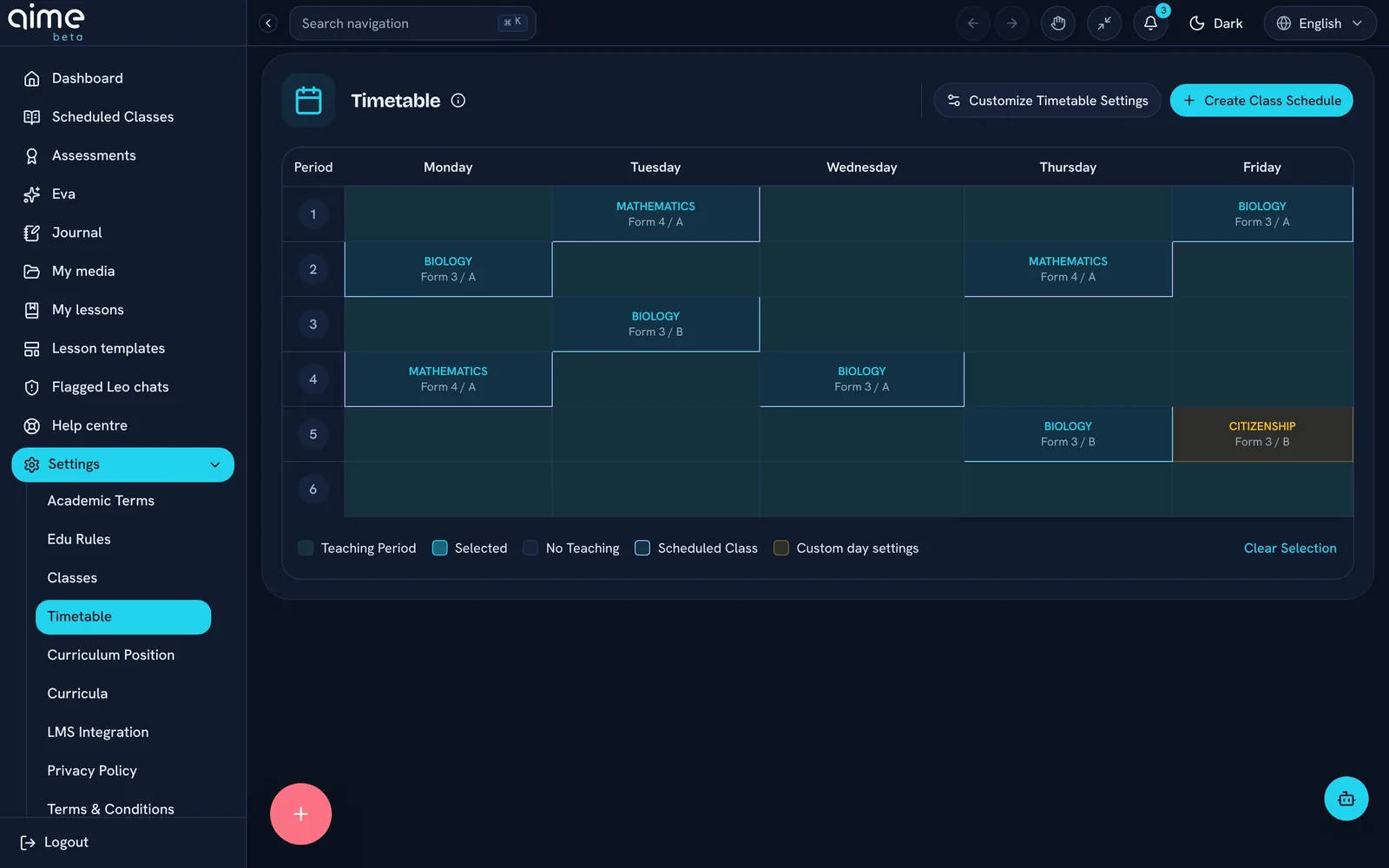
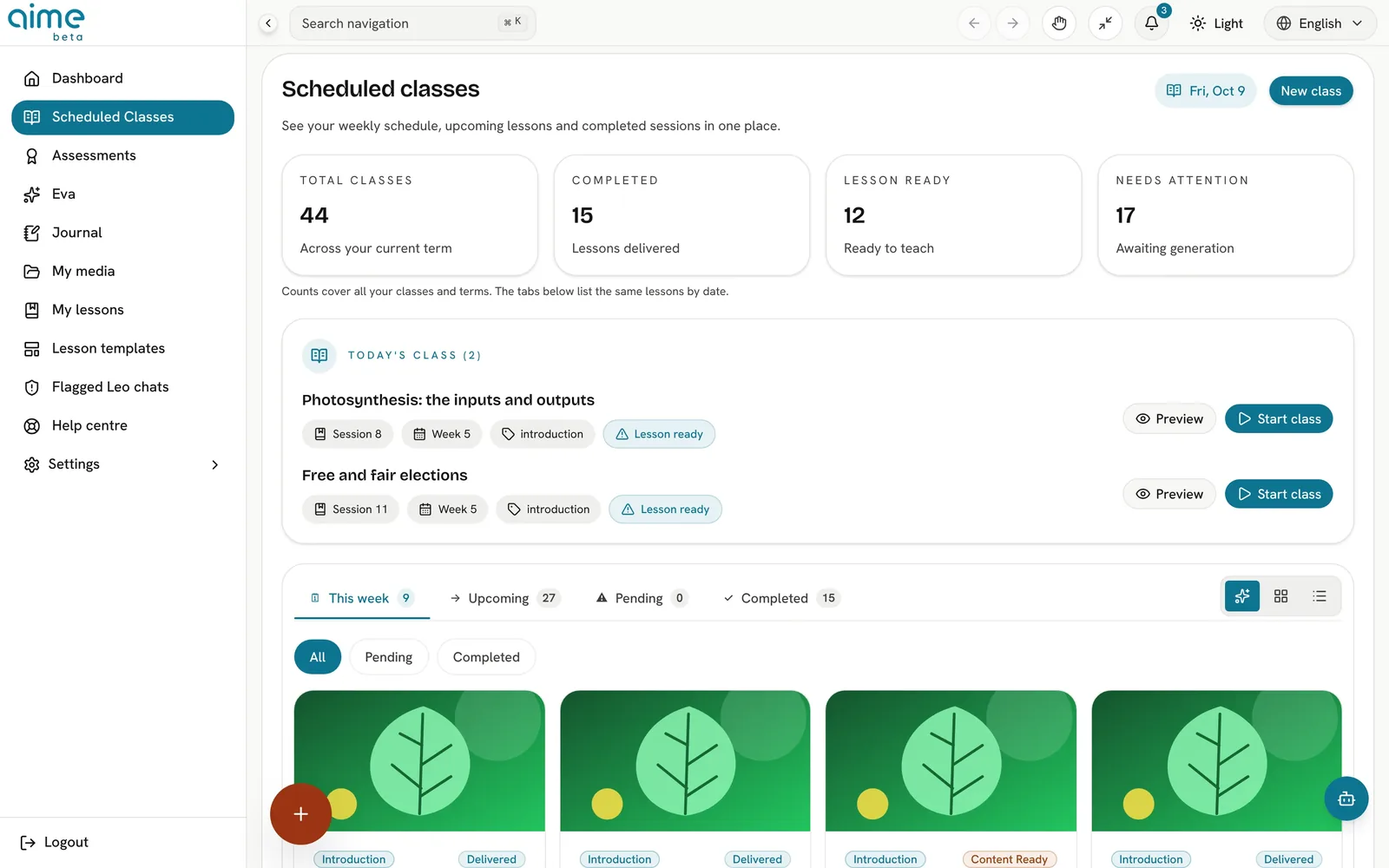
Tell aime when you teach and it lays out the term for you: every lesson in its slot, linked to the objectives it covers.
Click and drag your periods onto the week. Set them to repeat every week or every other week.
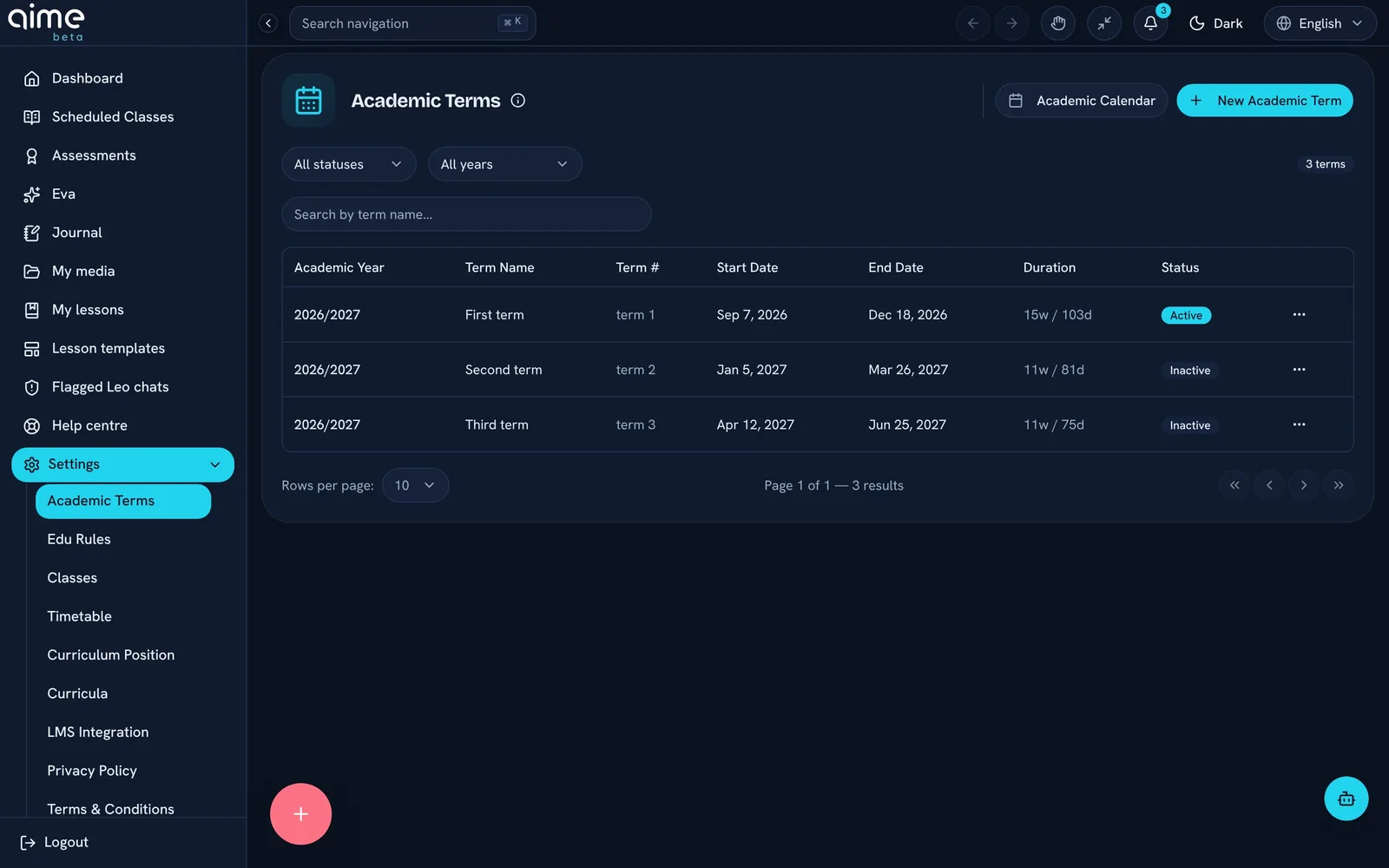
Add your terms and holidays, even ones that apply only to some classes, like study leave or mocks. aime plans around them.
aime spreads the curriculum across your lessons for the term, in order, so nothing is squeezed in at the end.
A coverage heatmap shows which topics each class has taught and which are still to come.
aime studio
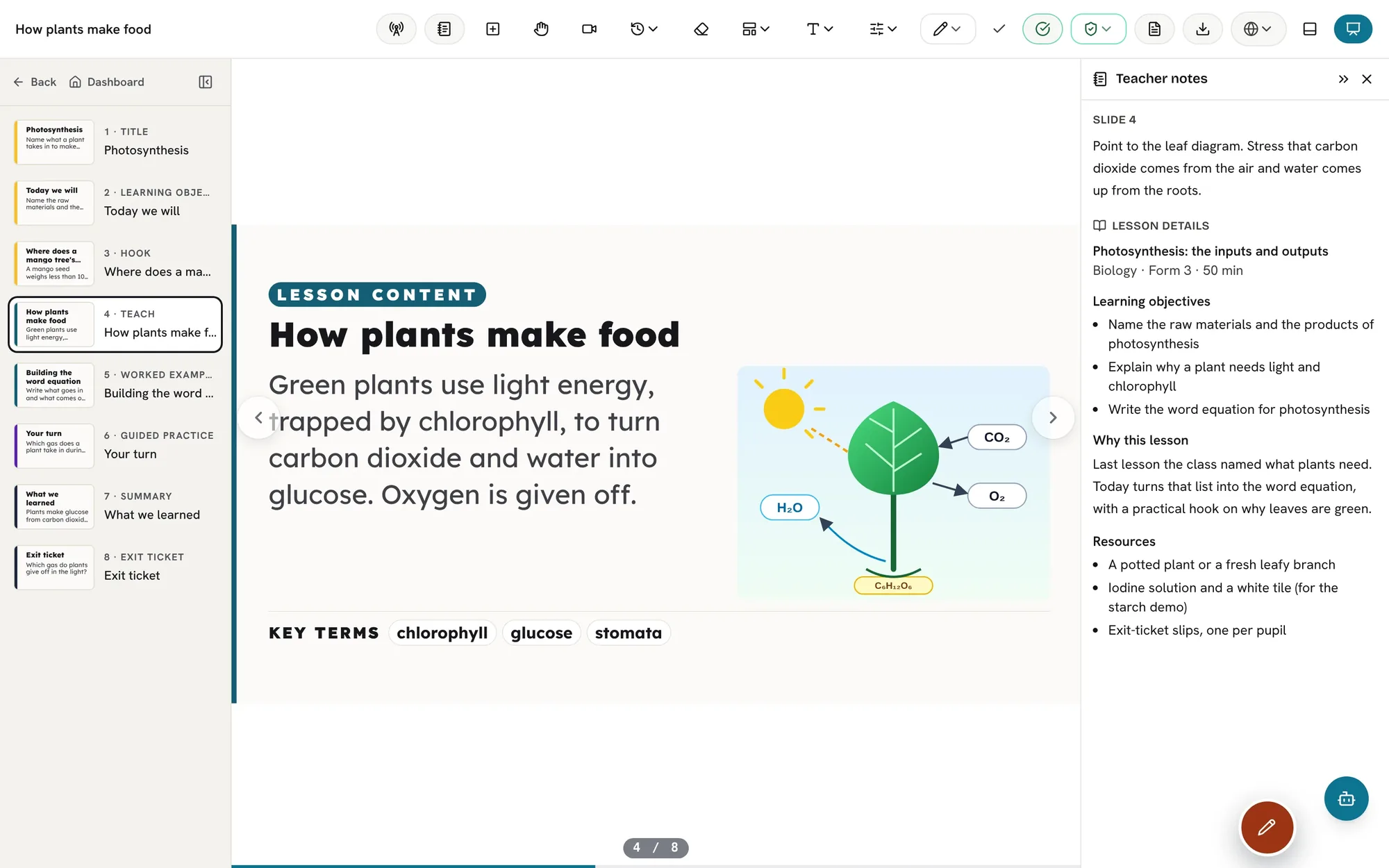
When aime builds a lesson it follows the same careful steps every time, so the lesson you open is grounded, timed, checked and ready to teach.
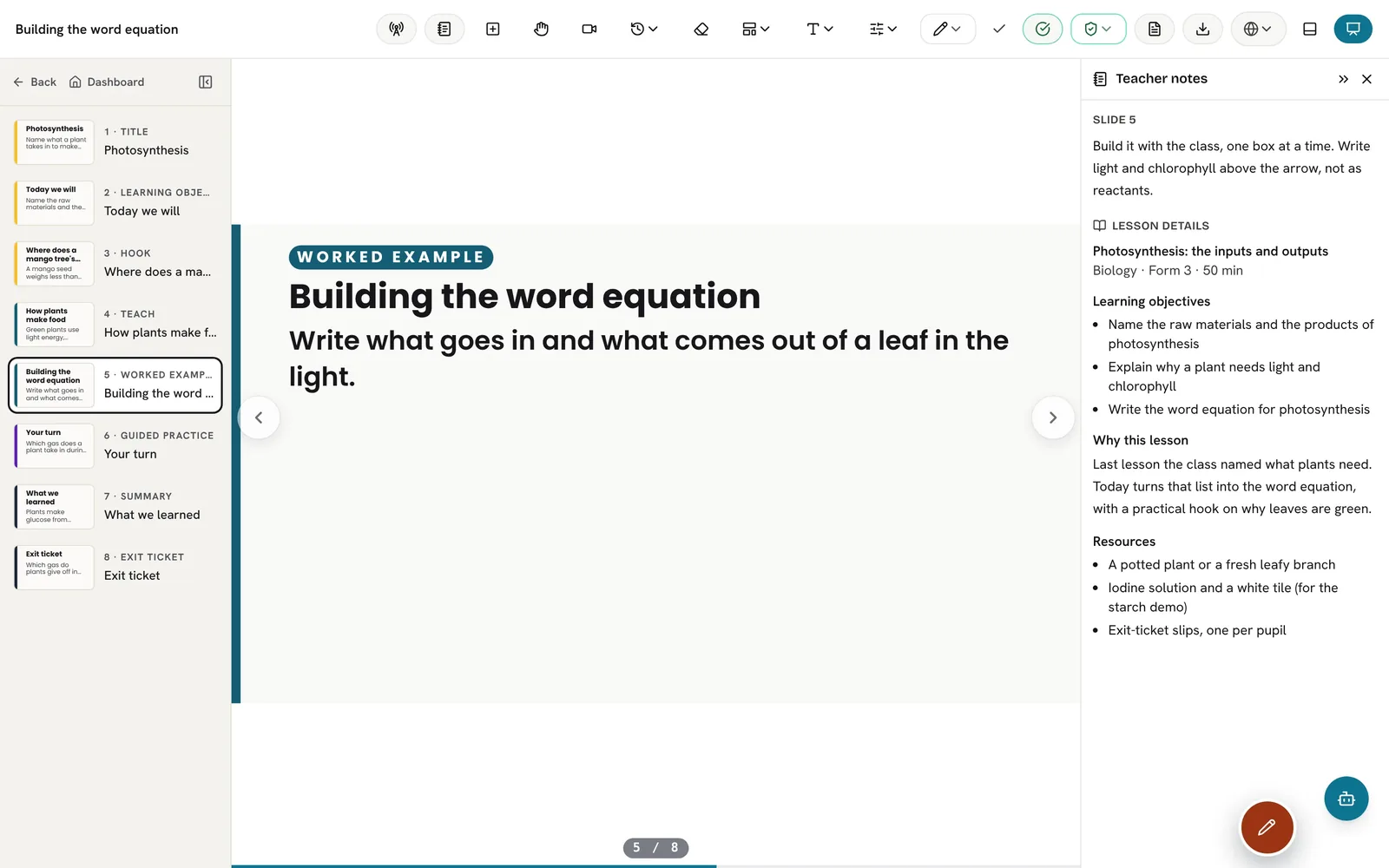
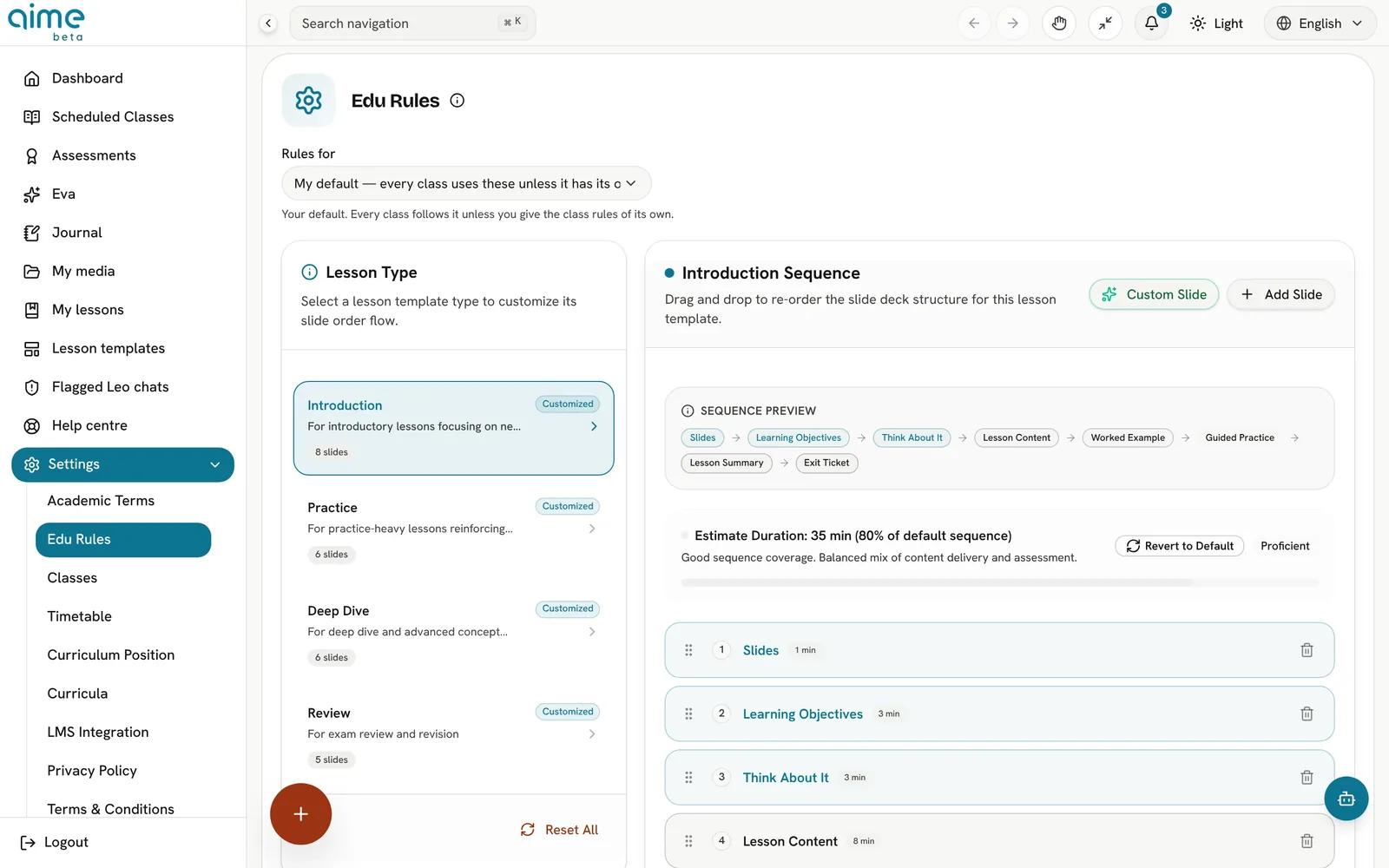
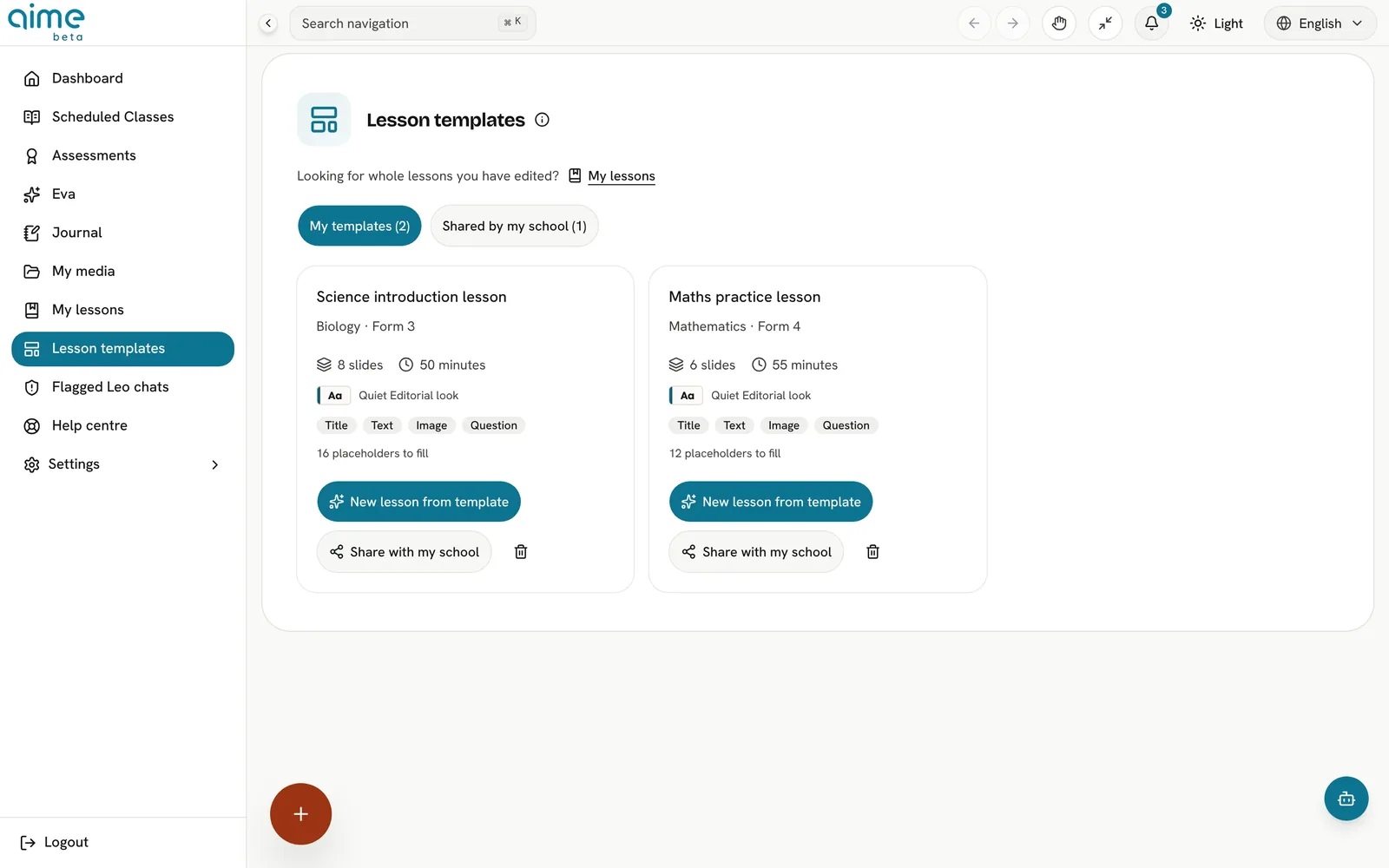
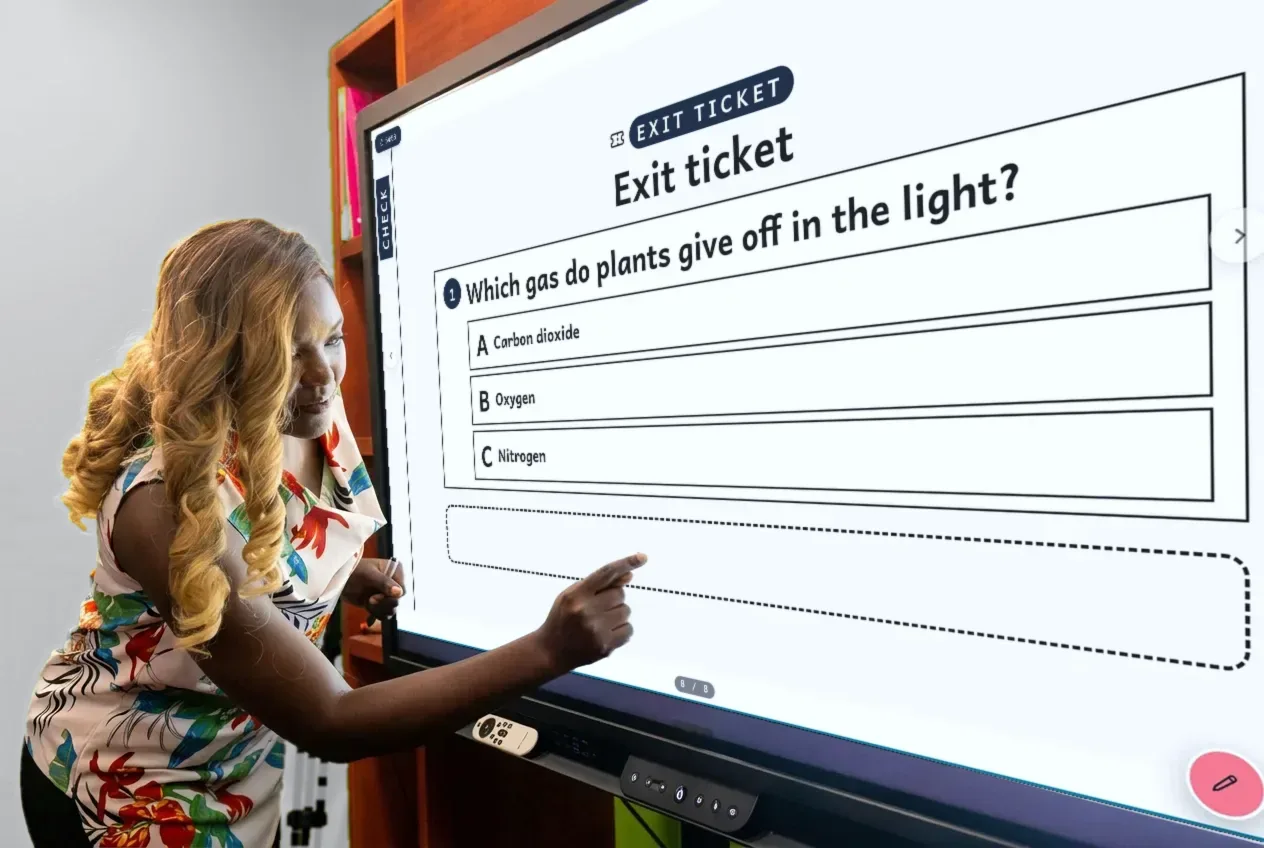
Hook, prior knowledge, warm-up, teach, worked example, guided practice, discussion, misconception, self-assessment, concept map, summary, exit ticket and more.
Every student task comes in levels, from a scaffolded starting point to a real challenge, so the whole class works on the same objective.
Answers and the mark scheme sit on teacher-only slides. Pupils never see them on the board.
Multiple-choice options are built from the mistakes pupils really make, so a wrong answer tells you something.
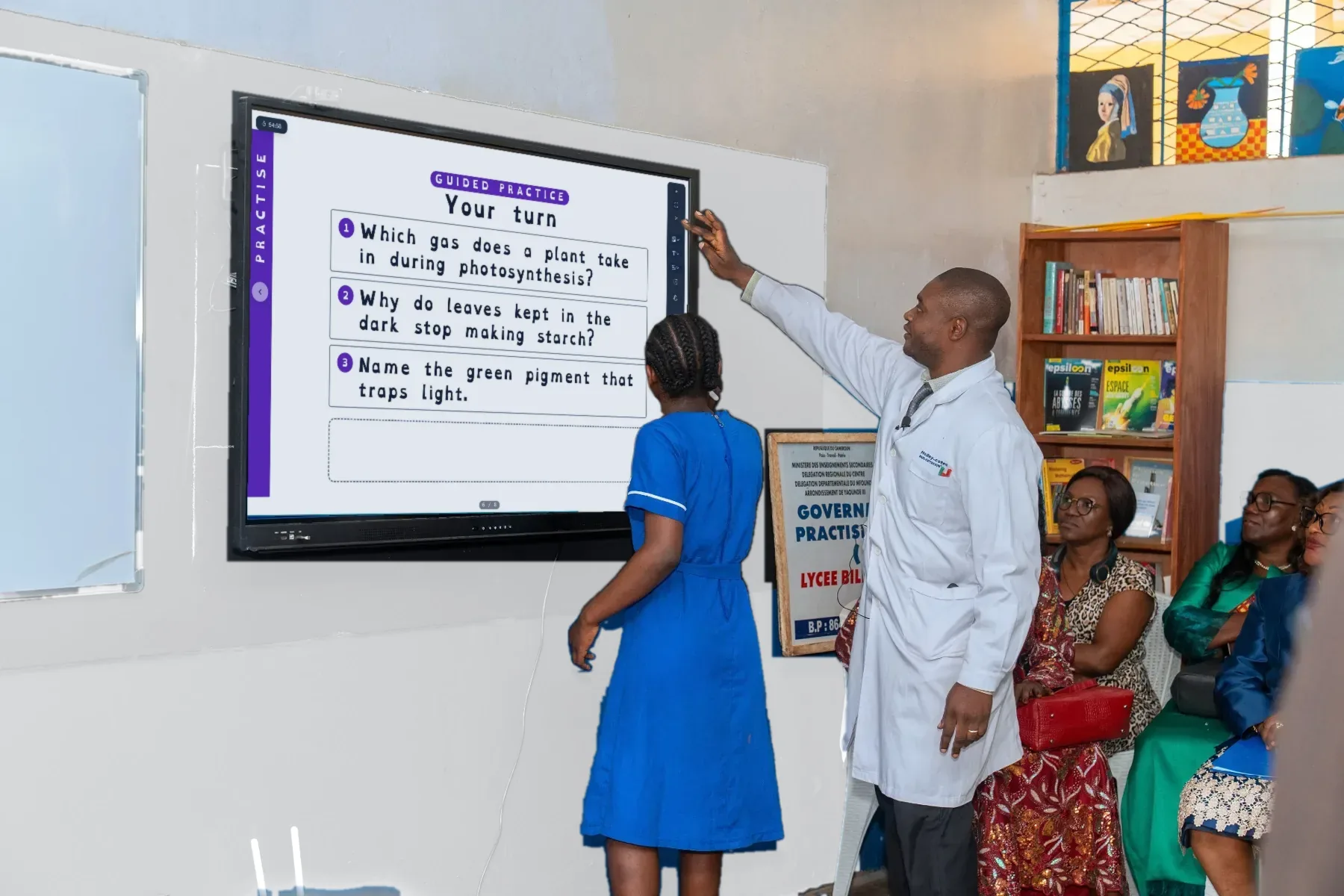
Lessons follow explicit instruction: you model it, the class practises with you, then pupils try it alone.
Each slide is tied to a micro-objective, and objectives and questions carry their thinking level.
Two or three success criteria per lesson, never more than the minutes allow, with time shared across explaining, modelling, practice and the final check.
Drag the slides of each lesson type, introduction, practice, deep dive, review, into the order you teach, and add your own slides.
The quality check lists anything worth a second look, from timing to reading age, and fixes it for you with Fix all.
A careful read for spelling and wording before the lesson goes on the board.
Ask for a fresh version of a lesson at any time. The old version is kept.
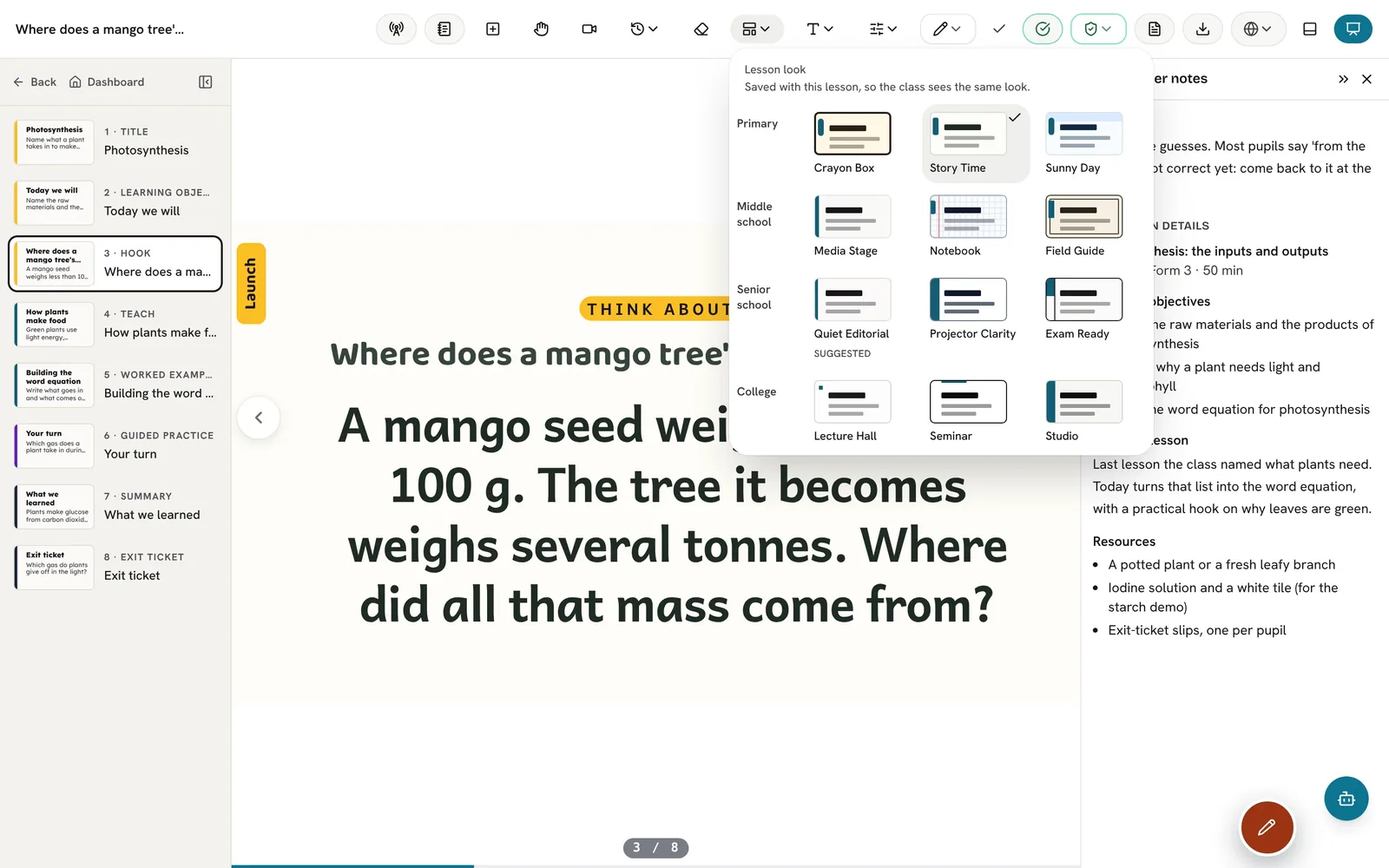
The deck look you keep choosing becomes the look for new lessons. A look you set yourself is never overridden.
Rewrite a teaching step your way and aime keeps it as your own part, ready for the next lesson that needs it.
A French curriculum gets a French lesson and a Filipino one gets Filipino, with local spelling, currency and seasons checked.
Simplify a slide, add an example or a worked example, add a check, or break it into slower steps, and see the change before you keep it.
Build a lesson as a Jigsaw, Think-Pair-Share, 5E, debate or gallery walk, as well as a classic lesson.
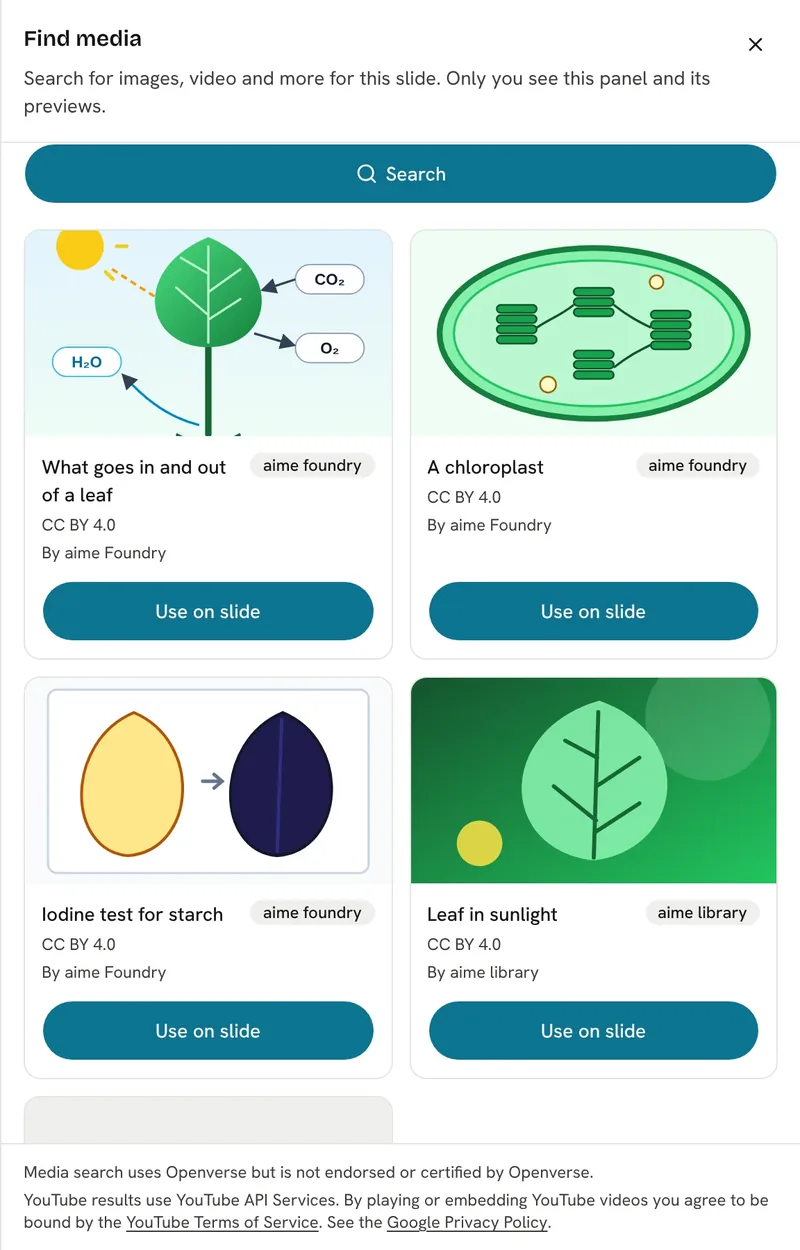
Search your own media, the aime library, Openverse, Wikimedia Commons and YouTube from inside a lesson, ranked by how well each result fits the objective.
Results you are free to use come first. Anything non-commercial or of unknown licence is filtered out unless you choose otherwise.
Everything you add carries its source and licence, so attribution is never a job for you.
Crop an image, take just the part of a video you need, or quote a short passage with its citation.
Your own files are virus-checked before they can be used in a lesson.
See the whole lesson on one canvas instead of slide by slide, and choose which view lessons open in.
Labelled diagrams drawn so every word is spelled right, and interactive simulations placed on the objectives they teach.
aime teach
Present from a laptop, a panel or a tablet, with a clicker, a pen or your finger. aime keeps the class screen clean and your notes in front of you.
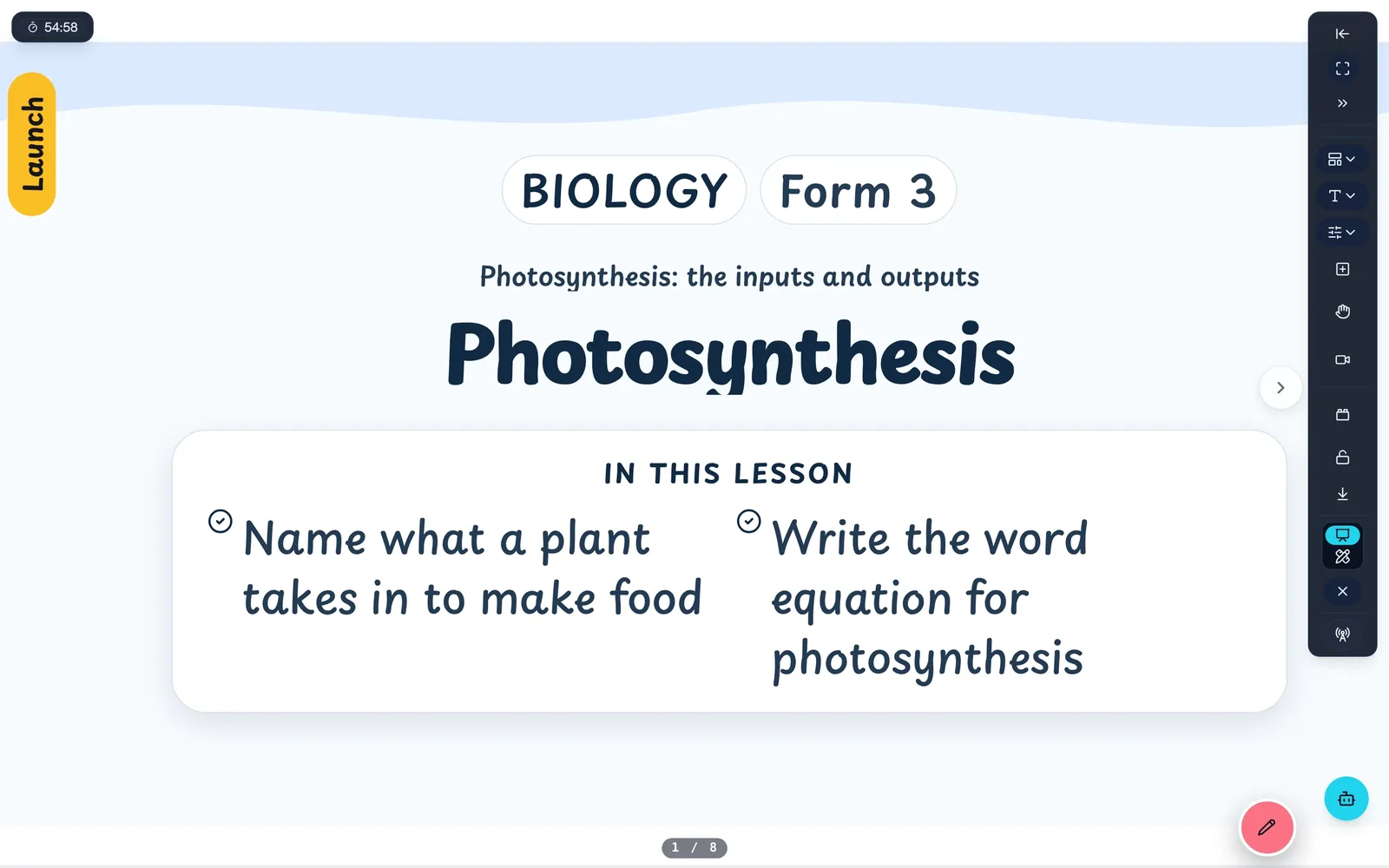
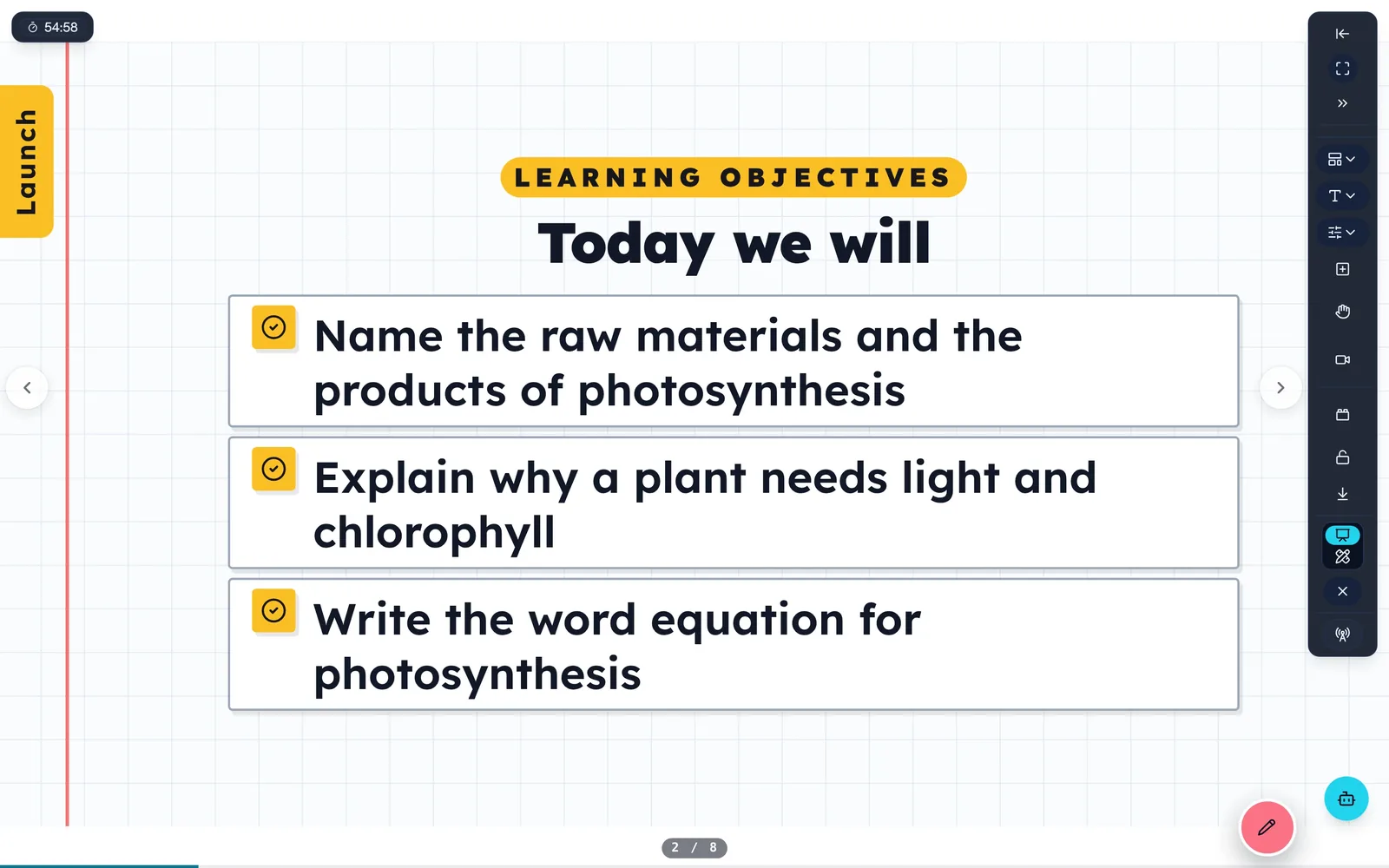
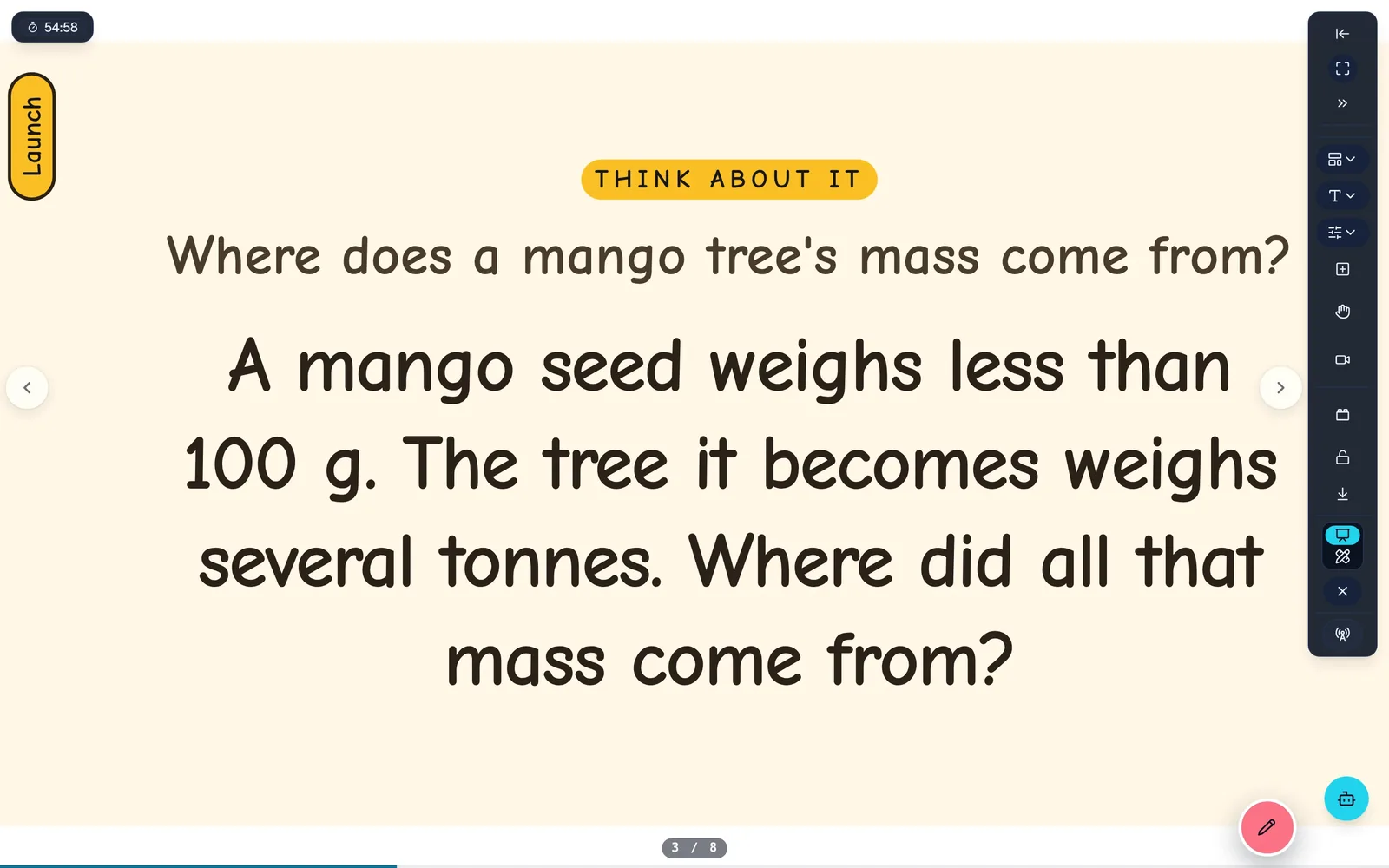
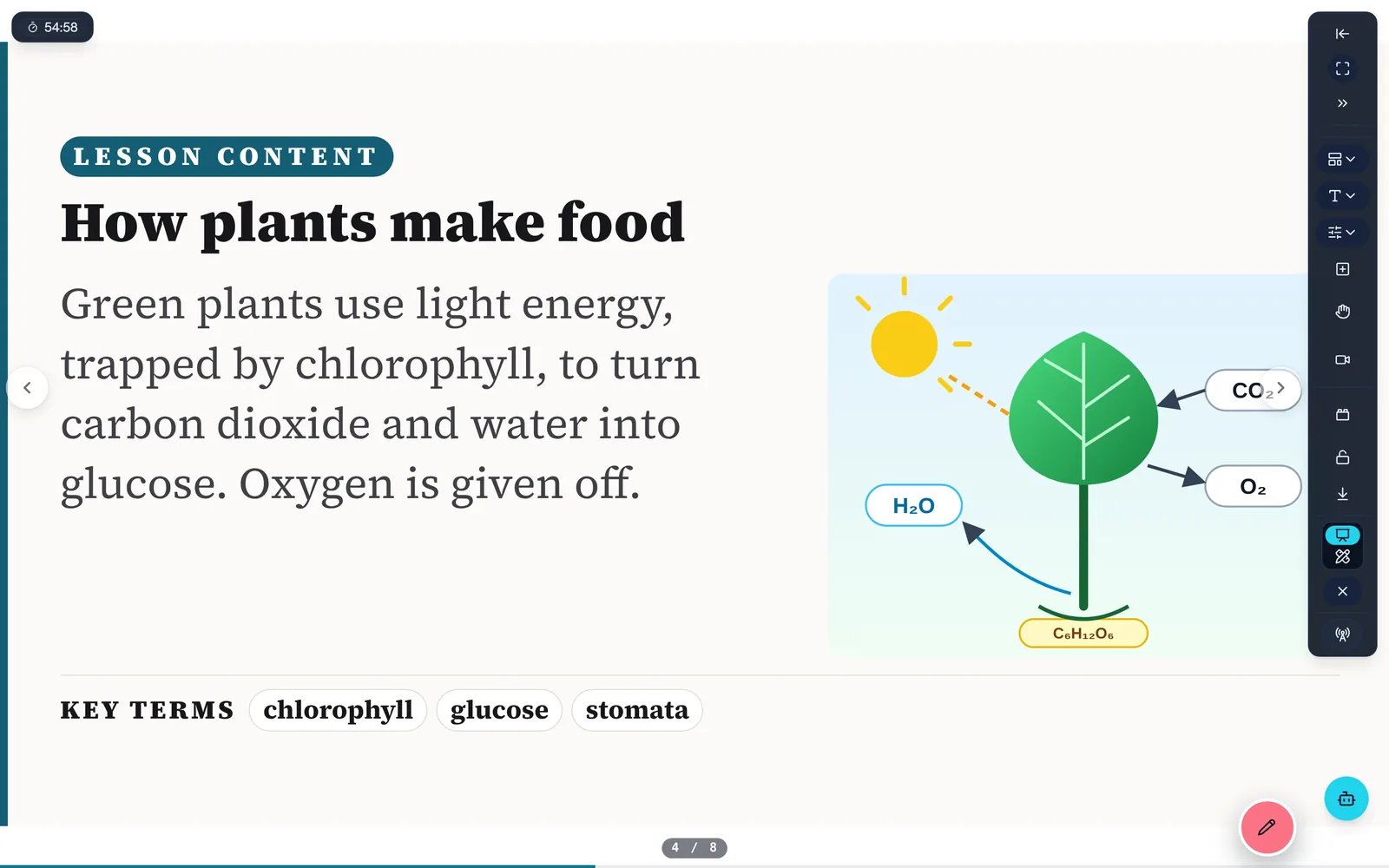
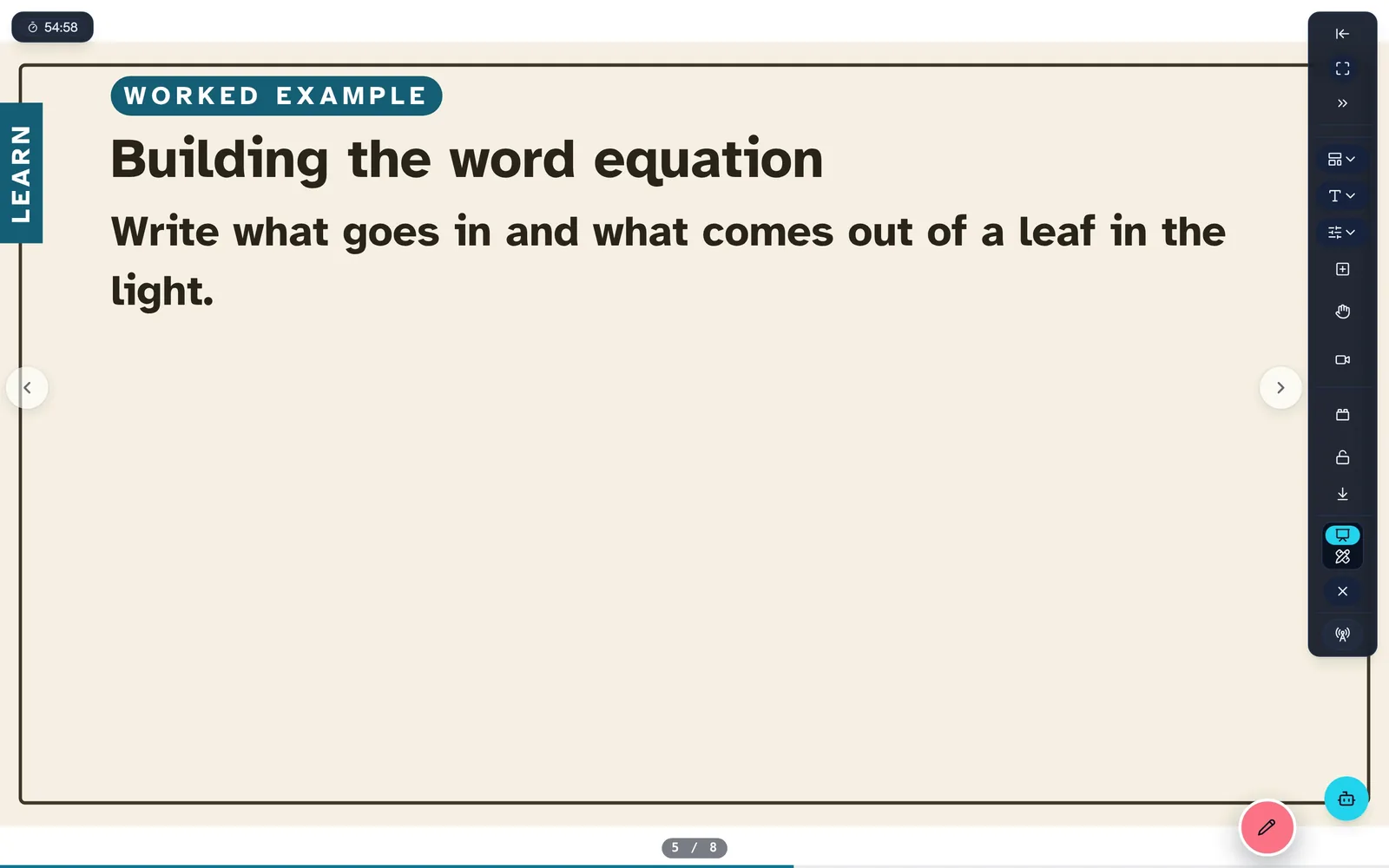
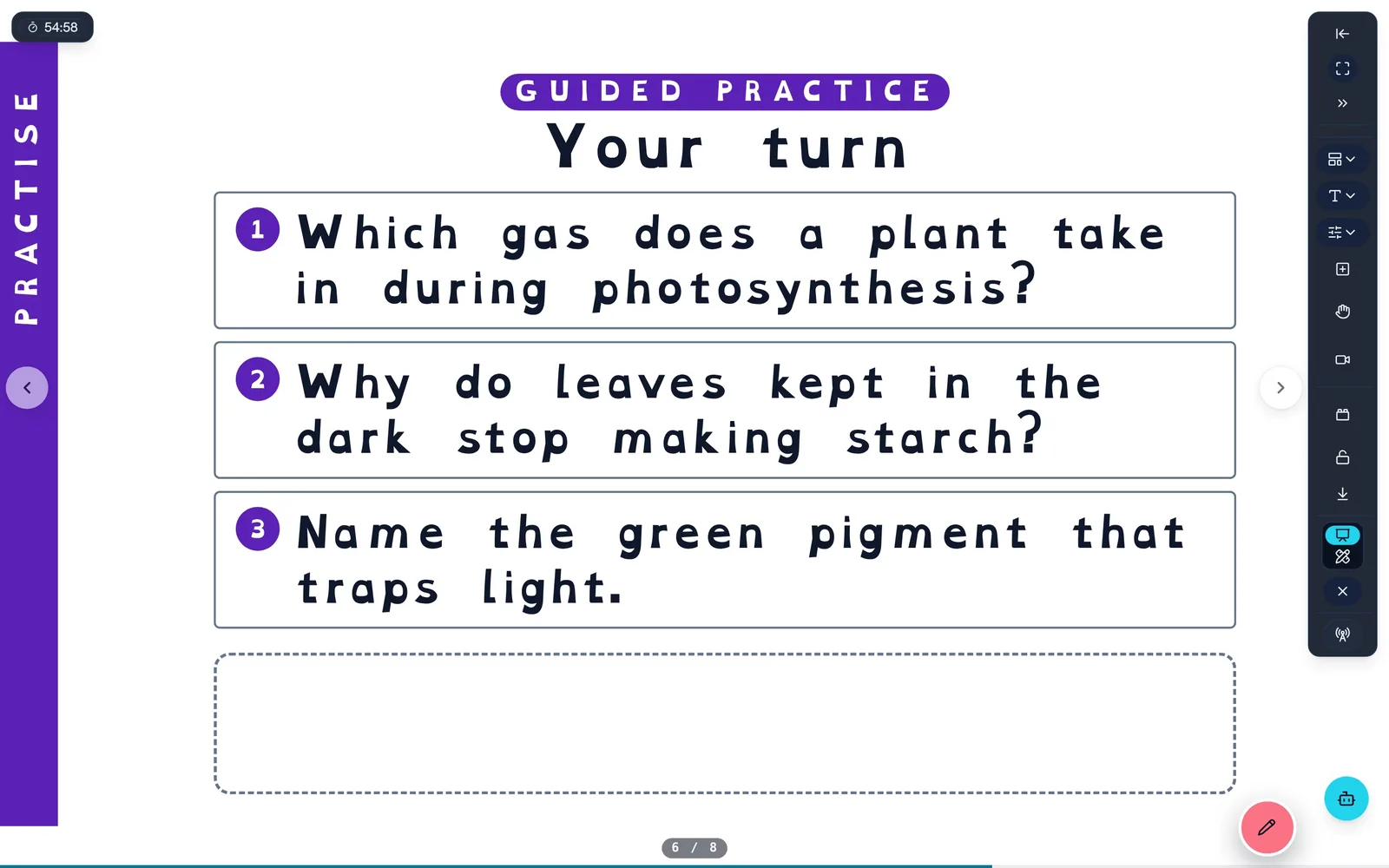
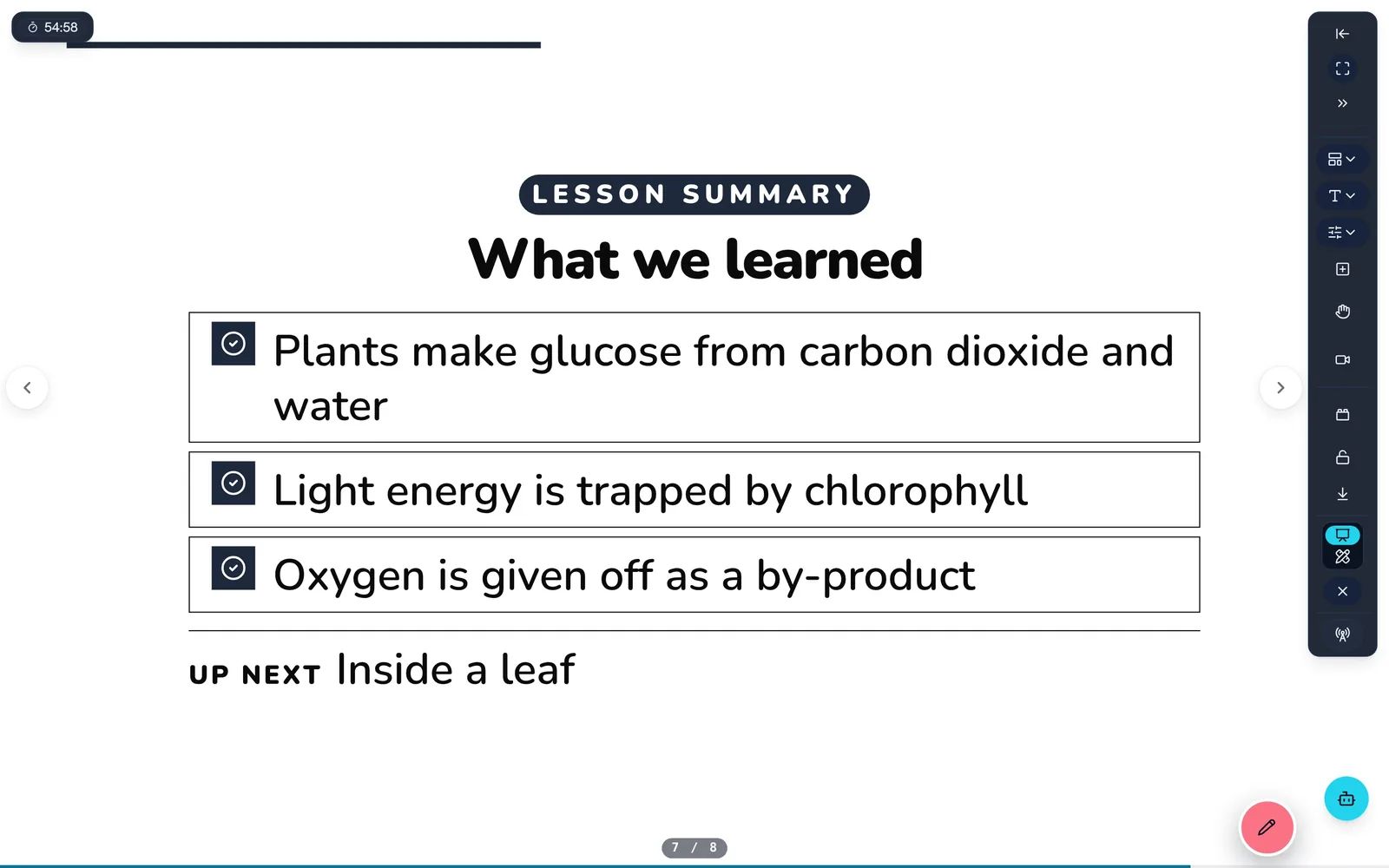
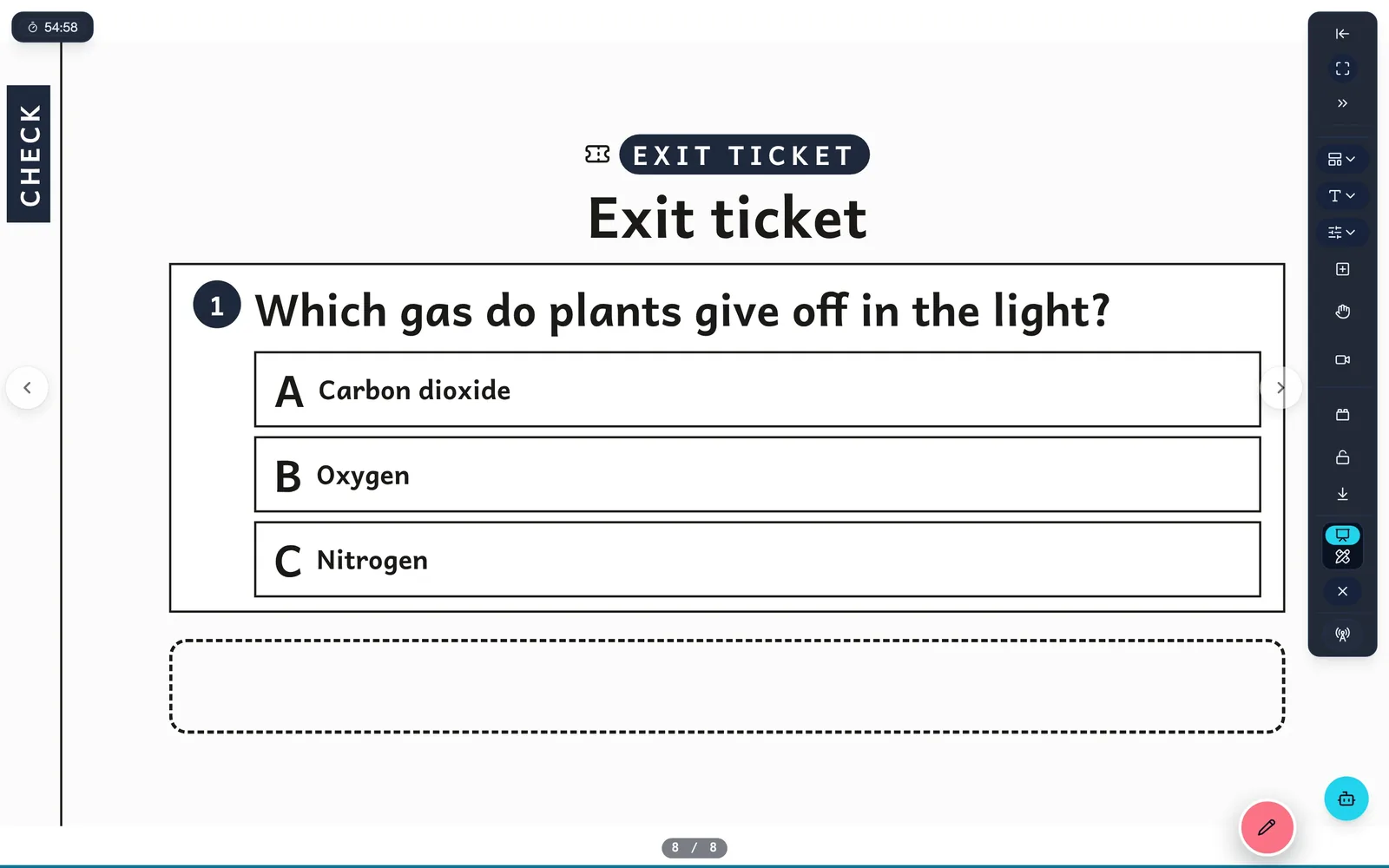
The lesson goes full screen with small floating controls, ready for the class to see.
← → and Page Up/Down move slides, F5 starts presenting and Esc stops, just like the slides you already use.
Each slide's teacher notes sit under it while you present, so you have a script without a second screen.
The lesson timer counts down your period and pulses in the last five minutes.
Answers, worked steps, model answers and talking points appear one click at a time, when you are ready for them.
A slide strip lets you go straight to any part of the lesson, in left-to-right or right-to-left languages.
Audio story slides play with a moving waveform the whole class can follow.
One pointer does it all: ink, shapes and text with a pen, a finger or a mouse.
Two fingers move around the board and zoom in and out, as on any tablet.
Pressing and holding never pops up a browser menu, and the page never zooms or scrolls by accident.
Each stroke is one step to undo, with Ctrl+Z and redo anywhere on the page.
Every toolbar button is at least 44 pixels, big enough for a finger on a wall-mounted panel.
Next and back glide the board from one part of the lesson to the next. Motion is reduced if the device asks for it.
Hang an example, a question, a misconception or an extension off any slide, and bring it in only if the class needs it.
Lay a slide's key ideas, questions and image out beside it as cards to talk around.
Tidy the whole lesson into a numbered path you can see at a glance, with a minimap to move around.
Editing tools hide whenever the class can see the screen.
The board saves itself, keeps working through a dropped connection and catches up when it is back.
Present, annotate, print and finish a lesson with no internet. Your annotations are saved in the lesson file.
Change slides and assessments, and swap images, in aime reader.
The aime app runs full screen on phones, tablets, Chromebooks and classroom panels, in any orientation.
aime jam
Start a jam and pupils join on their own phones, tablets or laptops with a code. No pupil accounts, no app to install, and you stay in charge of every screen.
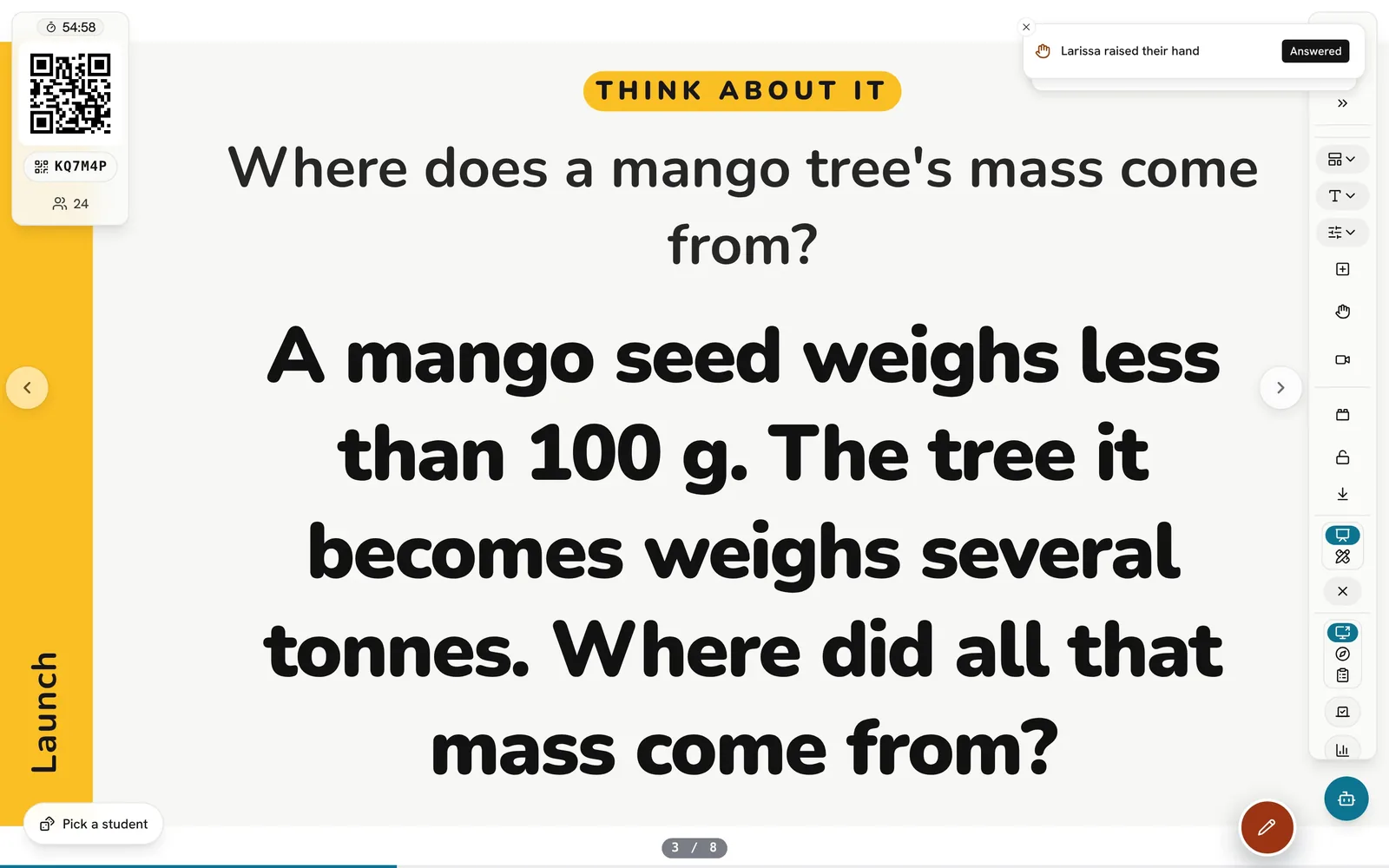
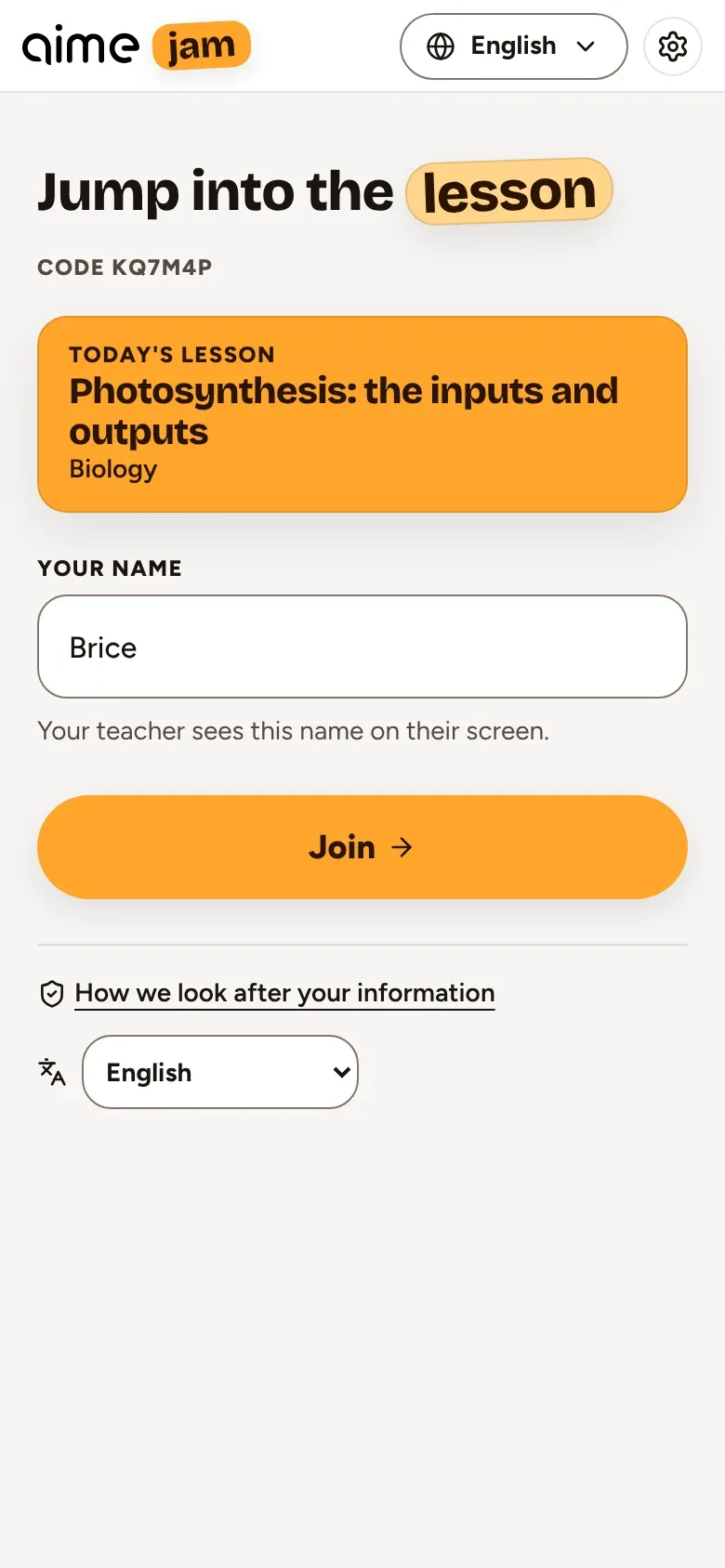
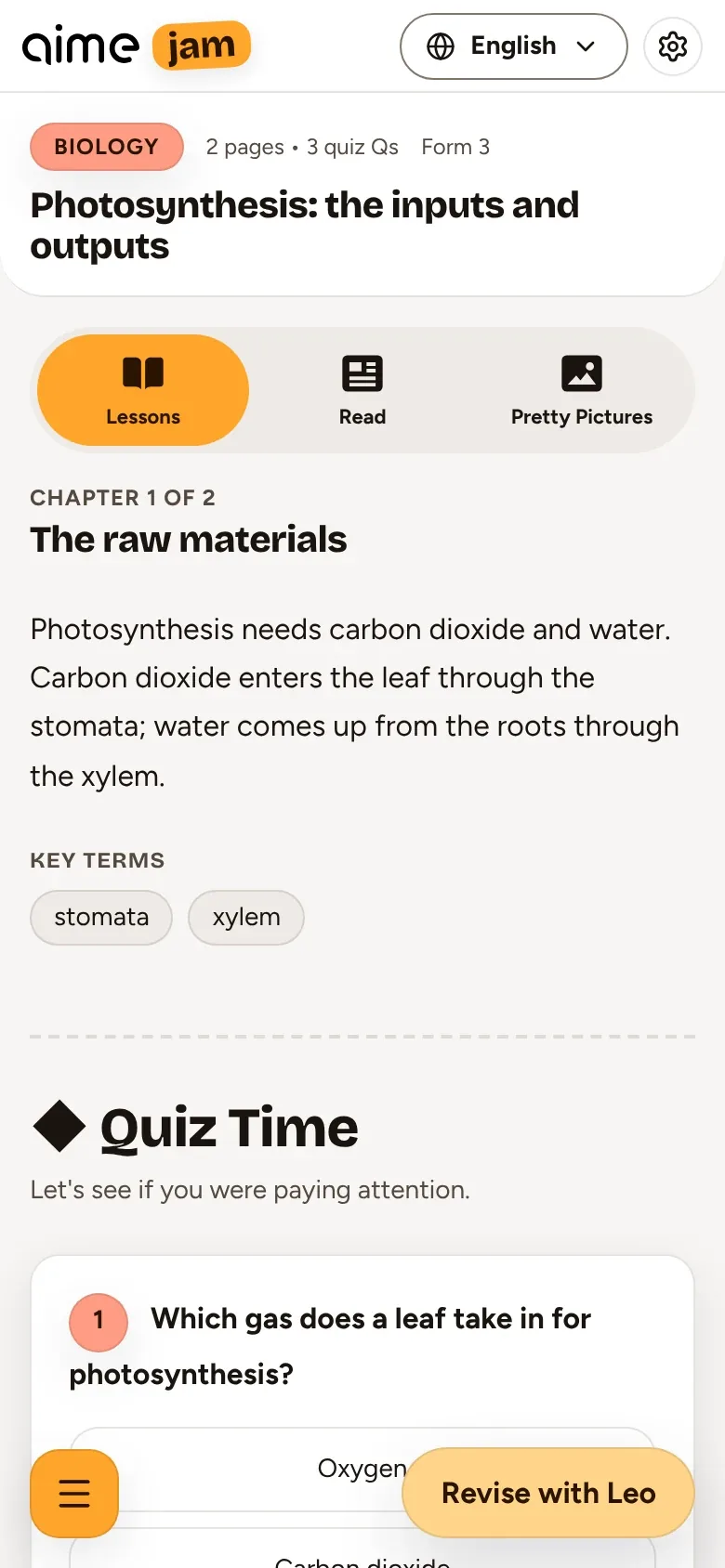
Pupils scan a code or type a short join code. No pupil accounts, and you see how many have joined.
Pupil screens follow your slide, your canvas and every reveal, and you can lock them to the board.
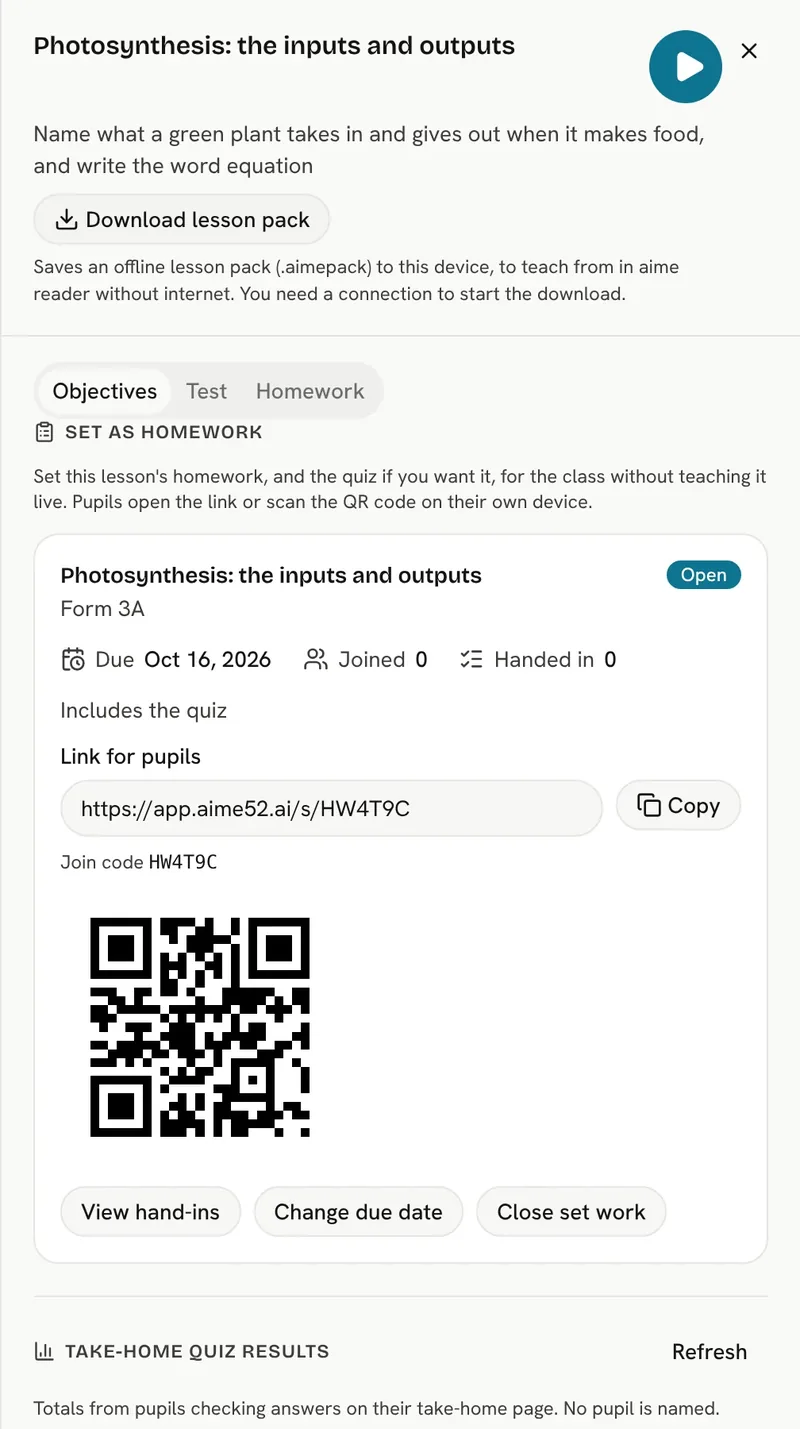
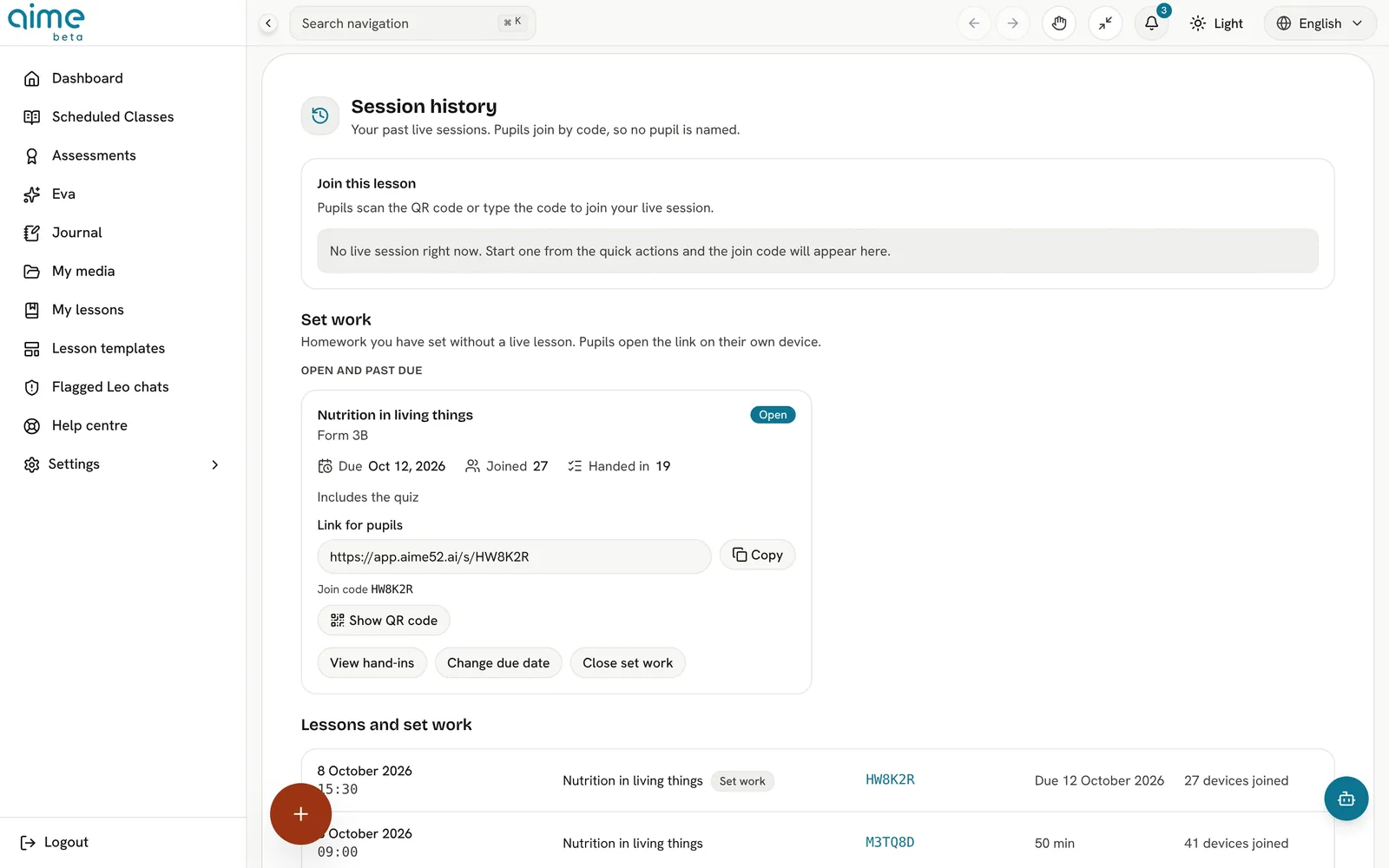
Send a lesson to pupils' devices, with the quiz and homework to follow.
Choose whether a video plays on locked pupil screens or appears as a link.
Pupils answer the lesson's quiz on their devices and you see the class picture as it happens.
Pupils give a first name or nickname at most. aime knows them by an anonymous class code, never by account.
aime reader can host pupils over the classroom network: QR join, the lesson, the quiz and the homework, and your screen shared to theirs.
Send the homework to pupils at the end of the lesson, to finish at home.
At home, Leo helps pupils work it out themselves. He never hands over the answer, and anything that needs an adult comes to you.
aime assess
Every lesson comes with a way to find out what landed: written for the same objectives, marked out, and ready to print.
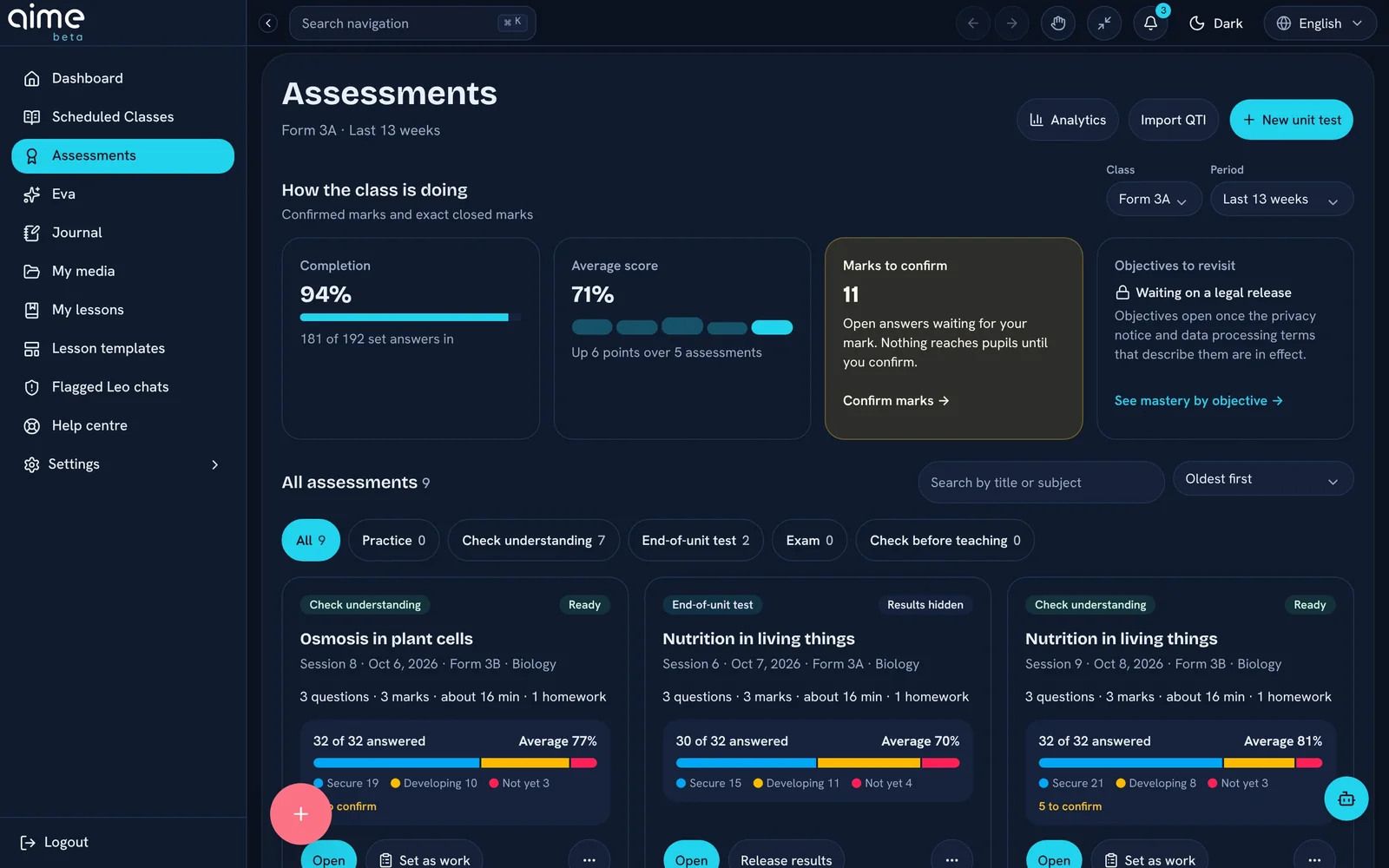
A quick formative check, a quiz, a test or an exam, each with marks, a total, a time estimate and instructions for pupils.
Multiple choice, short answer, long answer, problem, fill in the blank and true or false.
Model answers and mark-by-mark guidance, with partial credit where it is earned. Totals add up automatically.
Every question is labelled with its Bloom level, then checked against its command word in English and French.
Wrong options are written from the misconceptions pupils actually hold.
Practice can be tried again and never counts towards mastery. A formative check counts once. An exam is timed, and results wait until you release them.
Questions invite pupils to show their thinking, never threaten, and only ask about what the lesson taught.
Practice, extension, research or revision homework, with time estimates and marks for each task.
Change any question, answer or mark before you use it.
Pupil-ready PDFs of the assessment and the homework, with answer lines and no answers.
Send the assessment and homework to your Google Classroom course when you complete the lesson.
Ask for one question again at a harder or easier thinking level.
Simplified wording, word banks and sentence frames, and alternative homework tasks.
Pupils answer on their devices during the lesson and you see the class picture.
Multiple-choice, true-or-false, short and numeric answers marked as they come in.
aime suggests marks for longer answers and homework. Nothing counts until you confirm it, and you can always override.
Set a due date and see what came in late.
Assessments in the QTI standard for other platforms, and results as CSV or Excel.
aime insight
Results, misconceptions and curriculum coverage in one place, turned into a next step rather than a spreadsheet.
Record the class average and how many pupils are secure, developing or need support. No gradebook to keep.
Excellent from 80%, Good, Satisfactory and Needs support below 40%, shown on every assessment.
A short placement quiz finds what the class already has secure, instead of assuming it was covered.
Note what the class did well and what they got wrong. Misconceptions go straight into the next lesson.
When a quiz comes back from Google Classroom, aime turns the grades into bands and misconceptions. Pupil identities are removed at the door.
Every micro-objective marked completed, in progress, assumed, needs revision or still to come, across the year.
A chart of the teaching you have done, objective by objective.
A separate coverage map for each class you teach.
See which misconceptions keep coming back across lessons.
Printable reports of results and coverage.
Curriculum coverage and results across departments, for school leaders.
teacher mirror
Tell aime how it went in a few taps. aime changes what comes next, and it follows clear rules, so you always stay in charge.
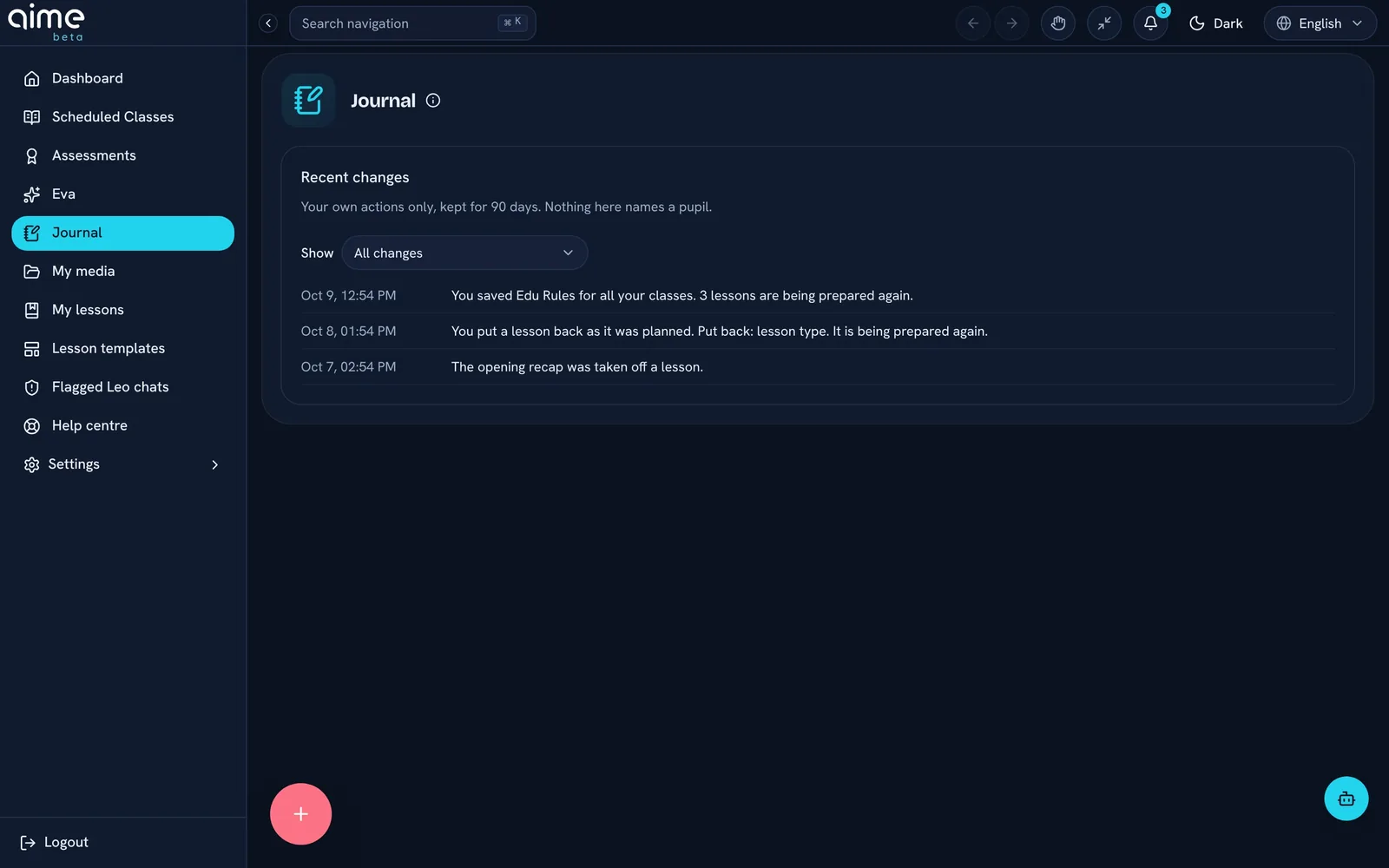
Five to eight quick questions written for that lesson: pacing, engagement, coverage, activities, prior knowledge and delivery.
If your class has pupils with SEN, aime asks how the support worked.
Mark which micro-objectives you got through, so nothing is lost when a lesson runs short.
On any plan, recording class results is enough for aime to adapt the next lesson.
Steps you did not reach come back as a recap at the start of the next lesson.
If the lesson ran long, the last practice becomes "if time allows".
Time moves from practice to explanation, and your word beats any average.
An idea that did not land comes back explained a different way, not just repeated.
A worked example, a stretch task or a misconception check, if your reflection asked for one.
If the class lacked the prior knowledge, the missing step goes back into your plan.
Your term is re-planned around what really happened, keeping what you have taught and adding revision lessons.
"We ran out of time" adjusts the plan. "It needed a worked example" fixes the lesson. A busy afternoon never makes a worse lesson.
Adapting never makes a lesson longer than your period.
Slides you have edited or locked are never touched.
If you have arranged a lesson your way, it stays your way.
Only you can see them. No one else, including your school, can open them.
free looks back 30 days and pro a full year. Nothing is deleted, so upgrading brings your history back.
Each adapted lesson shows what changed and why, and you can undo one change or all of them.
A different explanation, an activity and a quick check from your last lesson, added only if you choose.
Say how the lesson went instead of tapping.
An assistant who drafts the next steps for you to approve, from a morning brief to your week's rhythm.
teacher eva · aime pro+
Eva is a hand alongside you every day. She prepares the replies, plans and packs that eat your evenings, and puts each one in a tray for you to approve.
Nothing Eva prepares is sent or changed until you approve it. Some things she will never do on her own.
Your approval tray
{{trayLeft}}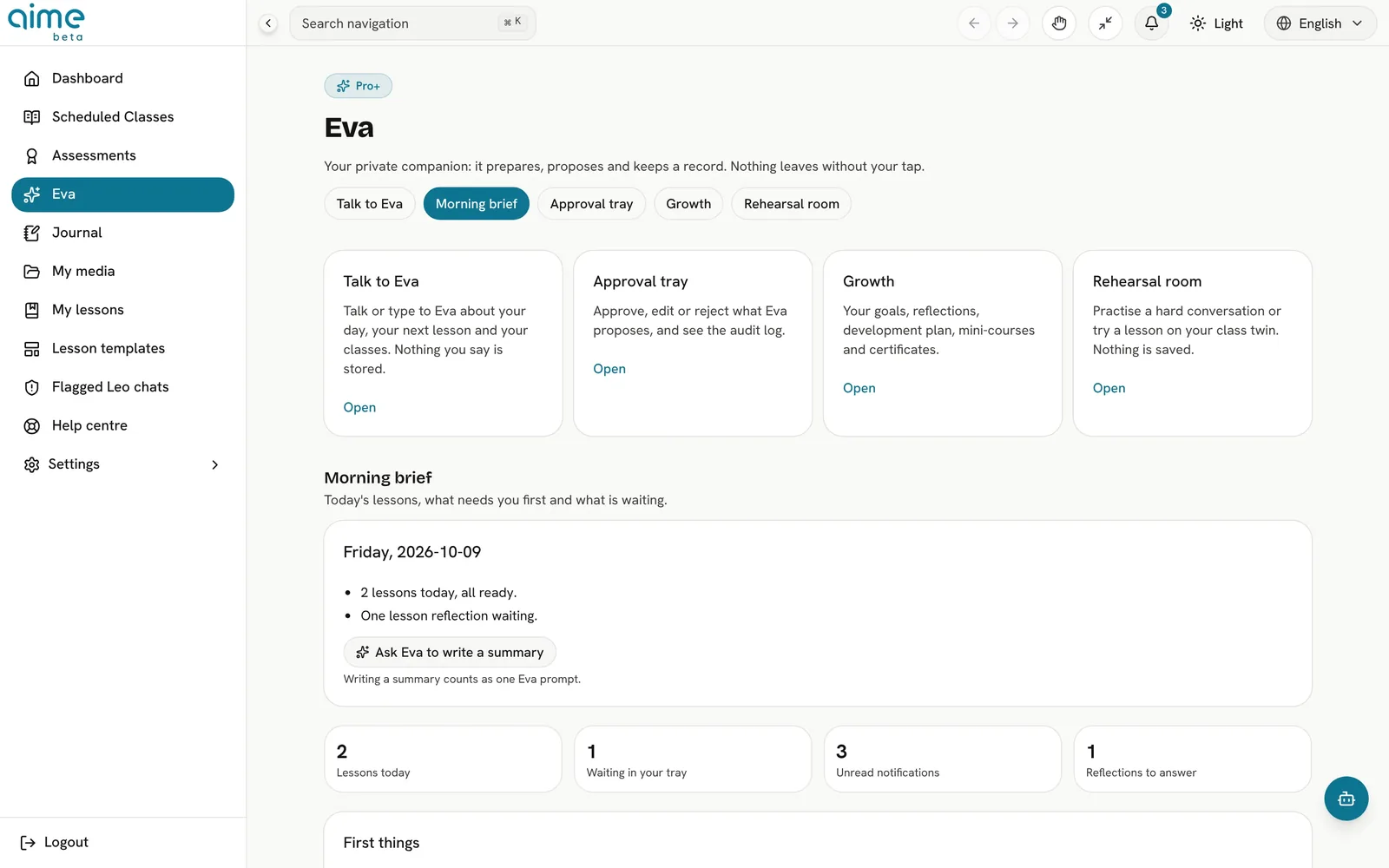
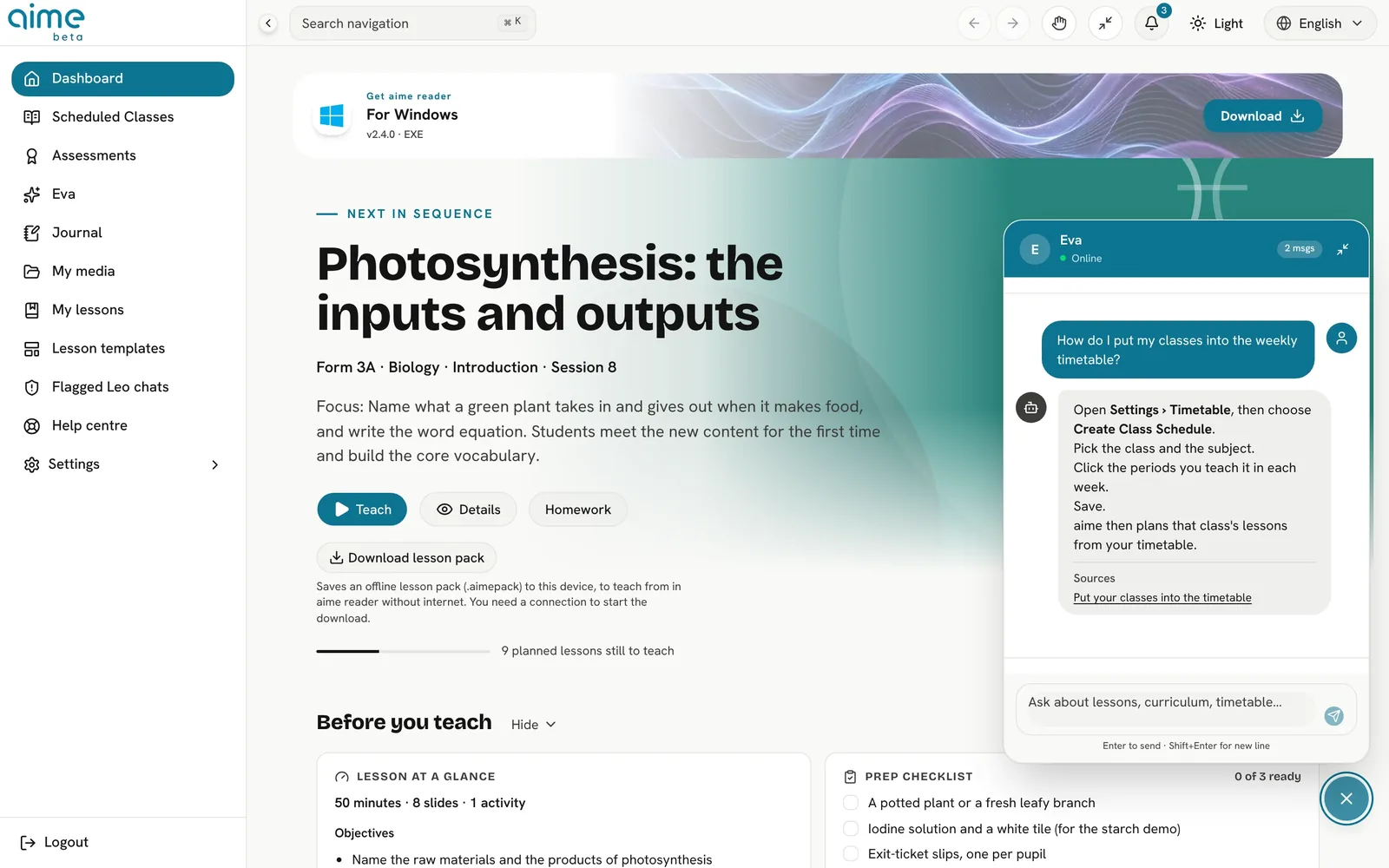
Eva proposes and you tap: approve, edit or turn it down. Every action is kept in a record you can read.
Your day at a glance: what is coming up, what needs you, and the rhythm of your week, from your own records.
Question-by-question analysis, a gap map of what the class has not yet secured, and early warnings before a test.
Try a lesson out on a "class twin" before you teach it. Nothing in your real plan changes.
Photograph a piece of work and Eva drafts the marked-up page, a short voice note and a written comment for you to check.
Set goals, see your progress over the year, and keep a record of your professional learning. The goals are yours, set against the Teachers' Standards, and Eva talks in strengths and next steps, never scores.
Ask Eva about your classes and plans out loud or by typing. She works only from your own records.
Some things Eva will never do on her own: anything sent outside aime, marking and exports always wait for you.
aime connect
No new habits to learn. aime works alongside your classroom tools, on the computer in front of you.
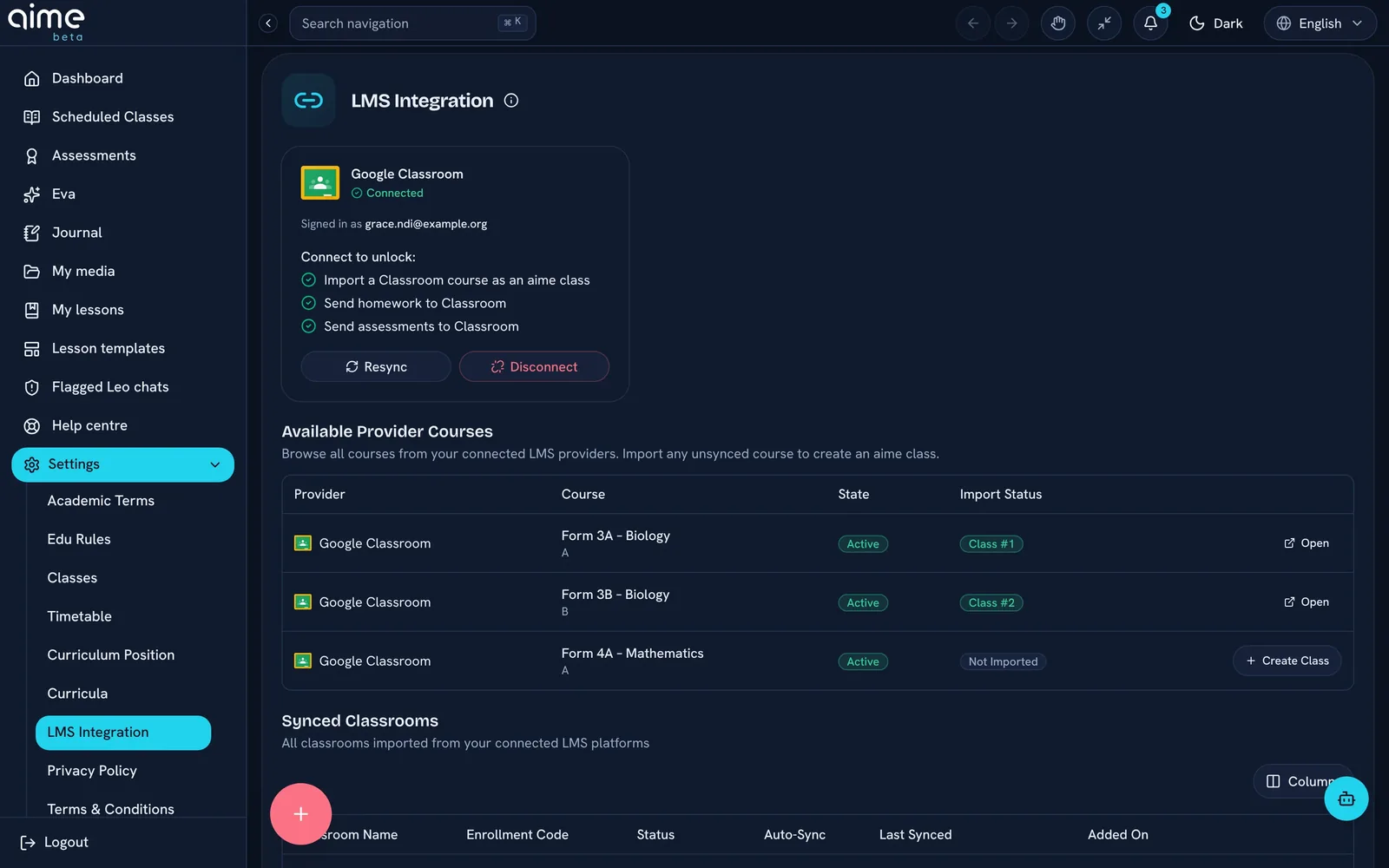
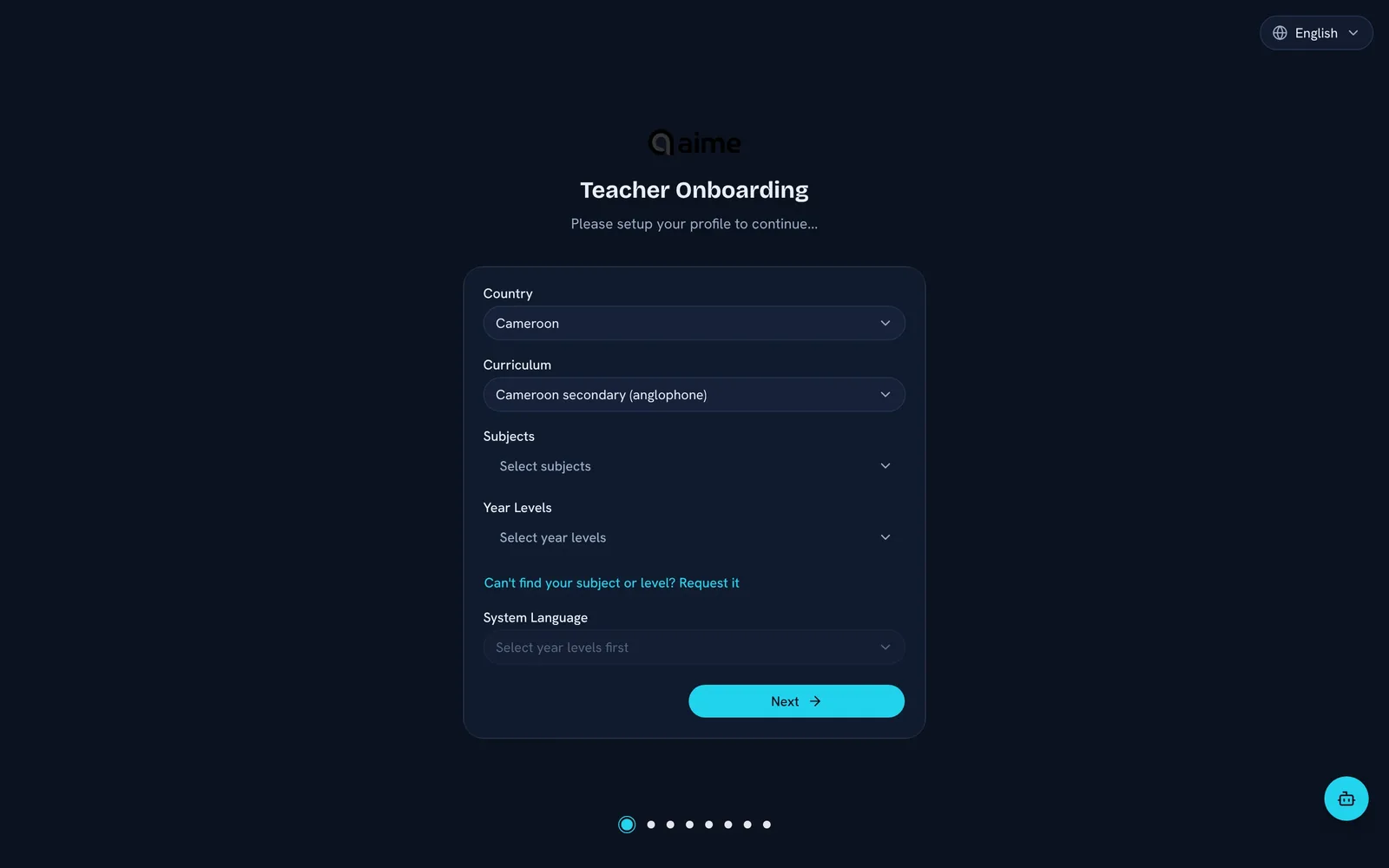
Connect your account, bring your courses in as aime classes, and send assessments and homework to them.
Apps for Windows, macOS, Linux and ChromeOS, as well as the browser.
Ask Anna, aime's in-app helper, how to do anything, any time.
Bring your Google Classroom pupils into aime with the course.
Send confirmed marks back to your Google Classroom gradebook.
The same connection for schools on Teams.
Shaped by teachers
Classroom teachers tested aime in our pilot, and their feedback on pacing, workload and what actually helps decided what we built next.
Read teacher stories
“{{q.q}}”
{{q.i}} {{q.who}}{{q.role}}
Trust & control
aime doesn't replace your judgement. It does the heavy lifting and hands the lesson back to you: to shape, to challenge, to teach.
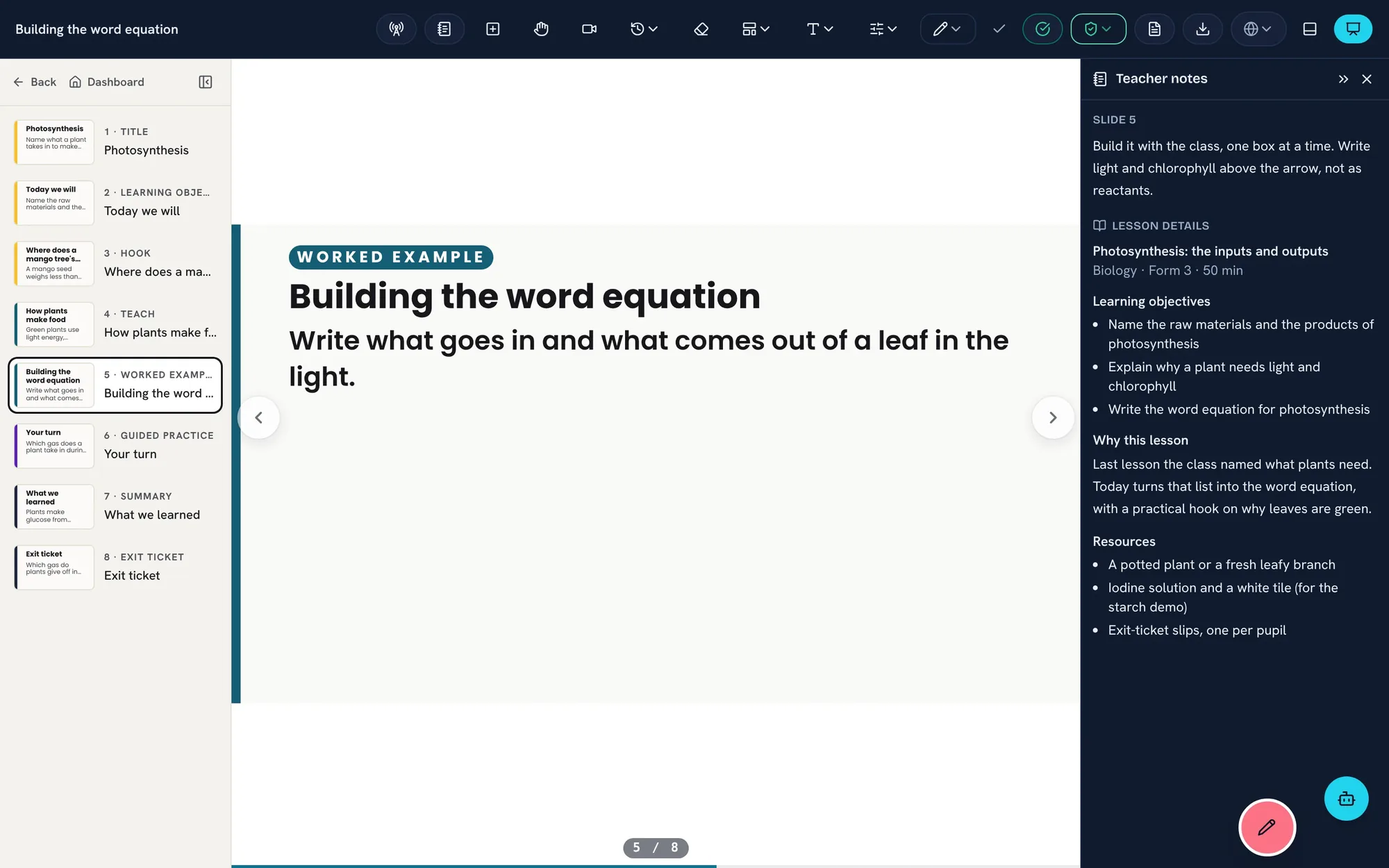
Every lesson, slide and assessment is yours to rewrite, never locked.
One click to retry, reshape, or take a lesson in a different direction.
Every suggestion is transparent. Every action is yours to control.
Works anywhere
Planning in the browser, aime reader when the internet drops, and fully offline products for schools without reliable internet.
Full AI-powered planning and generation, straight in your browser with aime cloud.
Download a lesson pack and teach it from aime reader when the internet drops.
mCloud:AI runs the same teaching platform on one box in the school.
Comfort & access
Built for long days, bright classrooms and interactive panels, and for every reader in the room.
Paper is a warm, low-blue mode for evening planning. aime remembers your choice on each device.
Slides in Lexend, OpenDyslexic, Atkinson Hyperlegible, Andika and more, chosen per lesson.
Pen, finger and palm handled properly on interactive panels, controls you can reach, and a simple pen for young pupils.
Teachers can work in five languages, with full right-to-left layout for Arabic. Pupil pages also open in Filipino.
Safe by design
Safeguarding is not a setting you have to find. It is how aime is built.
Pupils join with a code. A first name or nickname is all they ever give, and their own settings stay on their device.
If something you type looks like it names a child, aime warns you before it goes any further.
If a pupil's chat with the study coach needs an adult, it comes to you. Only flagged chats are kept, and only for 30 days.
Anything aime generates is marked as AI-made, so you always know what to check.
Download everything in your account whenever you like, or delete the account entirely.
How we build
Calm.Capable.Caring.Clear.
No pressure, no noise. Handles the heavy lifting. Supports, never judges. Simple, predictable, easy to use. If a feature doesn't meet all four, we don't ship it.
Resources
Teacher stories, long-form research, practical writing and every update we ship.
Pricing
Everything you need to plan, teach and assess, for every class you teach.
For teachers who want every lesson to learn from the last.
For teachers who want a hand alongside them every day.
aime for every teacher in your school, trust or country.
| Compare every feature | free | aime pro | aime pro+ |
|---|---|---|---|
| Plan and generate | |||
| Lesson generationA curriculum-aligned lesson with slides, a starter, activities, assessment questions, homework and an exit ticket. | 20 a month, across your classes | Unlimited | Unlimited |
| ClassesEach class has its own curriculum position, year plan and timeline. | Unlimited | Unlimited | Unlimited |
| Fix the words on a slideCorrect a typo or a name in the slide text. | ✓ | ✓ | ✓ |
| aime studio and AI improveAdd, move or delete slides; change activities; add pictures and video from My media and Media Finder; edit questions; ask AI to rewrite, simplify or stretch a slide. | — | ✓ | ✓ |
| Teaching memoryWhat aime learns about each class, what was taught and what landed, feeds the next lesson. | Last 30 days | Whole year | Whole year |
| Voice mirrorReflect for a minute after a lesson, and aime rewrites the next one. | ✓ | ✓ | ✓ |
| Coverage heatmapsWhich objectives each class has covered and which still need attention. | — | ✓ | ✓ |
| Priority generationYour lessons go to the front of the queue at busy times. | — | — | ✓ |
| Teach | |||
| Lesson canvasTeach on a canvas: pen, highlighter, compass and ruler, magic ink, camera snaps onto a slide, and the Little Ones toolset. | ✓ | ✓ | ✓ |
| aime jam live lessonsPupils join with a code or QR. You push slides, run live quizzes and exit tickets, and see answers arrive with pupils’ names. | ✓ | ✓ | ✓ |
| aime reader, online and offlineTeach from aime reader anywhere, and download lessons to teach with no internet. | ✓ | ✓ | ✓ |
| Lesson recordingRecord your screen or your camera, with your voice. The recorder keeps the slide timeline. Save to My media, download, or add to take-home work. | — | ✓ | ✓ |
| Auto-captionsCaptions made from a recording. You check and correct them, and pupils only ever see checked captions. | — | ✓ | ✓ |
| aime dramaScenes and roles, with scores out of the total. | — | — | ✓ |
| Assess | |||
| Assessments and unit testsBuild from a lesson or on their own: practice, formative, end-of-unit, exam or diagnostic. Set as work or use live. AI suggests marks and you confirm them. | ✓ | ✓ | ✓ |
| Mastery per objectiveSecure, developing or not yet, for each objective, from the marks you confirmed. | ✓ | ✓ | ✓ |
| Assessment analyticsDrill down from school to year group to class to pupils (shown by number). Leaders see the whole school. | — | ✓ | ✓ |
| Share | |||
| Take-home workA class link or QR to the lesson pack and quizzes. Results show when you release them. | ✓ | ✓ | ✓ |
| Handout PDFChoose slides, with slide detail set by grade, and print or save. | Watermarked | No watermark | No watermark |
| Google ClassroomImport classes, and send homework and assessments, with results coming back. | ✓ | ✓ | ✓ |
| Eva | |||
| Eva helpAsk Eva anything about aime in the help centre. | ✓ | ✓ | ✓ |
| Eva approval trayEva drafts and proposes, you approve, and every step goes in your audit log. | — | — | ✓ |
| Eva morning briefInsights and your week’s rhythm. | — | — | ✓ |
| Eva growthGoals, a growth record, learning and certificates. | — | — | ✓ |
| Eva early warningsQuestion analysis, a gap map, and pupils to watch. | — | — | ✓ |
| Rehearsal roomPractise a lesson against a twin of your class. | — | — | ✓ |
| Feedback on pupil workA marked-up photo, a voice note and a drafted comment. | — | — | ✓ |
| Talk to EvaBy voice or typing, with 120 voice minutes a month. | — | — | ✓ |
| Eva councils add-onA planning red team, a report jury and a moderation panel; 20 runs a month. | — | Add-on | Add-on |
| Eva voice add-onRead-aloud and dictation; 120 more minutes. | — | — | Add-on |
A lesson counts once, when it is first made: unit tests and regenerating a slide don’t use your allowance. Word and slide-deck downloads are not offered on any plan.
Annual plans give you two months free. Free gives you 20 real lessons a month. The paywall is volume, memory and classroom tools, never lesson quality. Prices in pounds sterling; plans are confirmed at launch.
Teacher questions
{{q.a}}
What teaching can feel like
Prepared. In control. Present.
Not rushed. Not reactive. Not exhausted.
aime gives you space to teach again. Start with your email to create your free account. There is nothing to pay.
Sign-up opened in a new tab for {{email}}. Open it again
Teaching is already hard. The system around it shouldn't be.